hackerscad tutorial
This tutorial goes in three stages. First a self-watering planter, one step at a time, from a plain block to two pieces ready to print: you do not need to know how to program, most of it is made with the mouse, and the few lines to write are given, explained in words. Then a medal, Carlo, the mascot clip, and a pillow block for a ball bearing, drawn with sketches: outlines told by their rules instead of their numbers. Last, a tour of what else there is: the examples, libraries, drawings, the command line.
After it, the guides by topic go deeper into each subject: sketches, sweeps, surfaces, threads, holes, fits, gears and the rest.
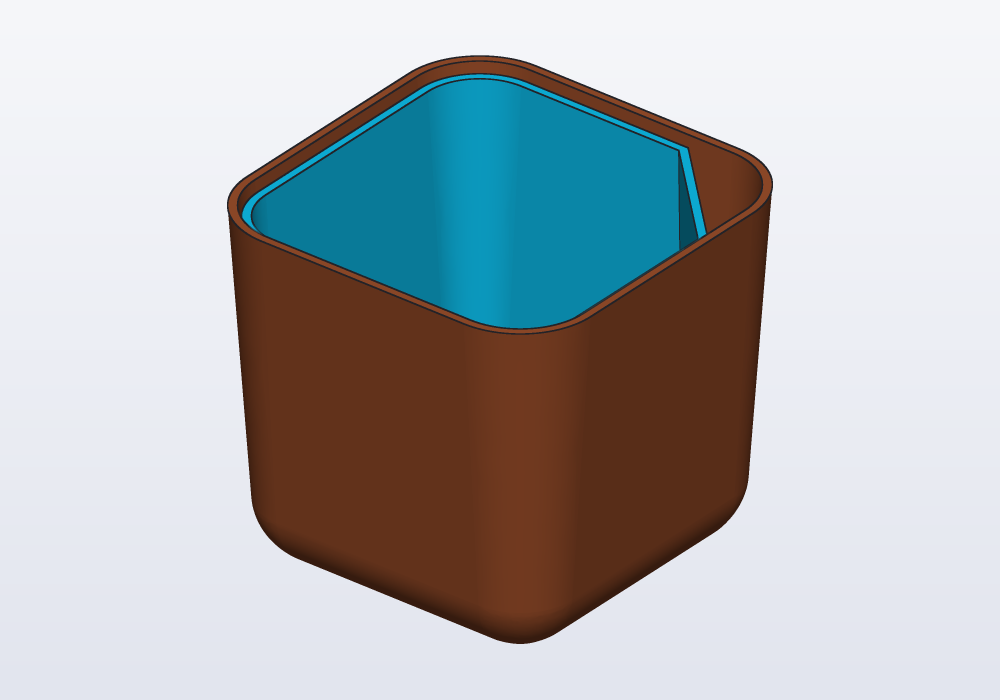
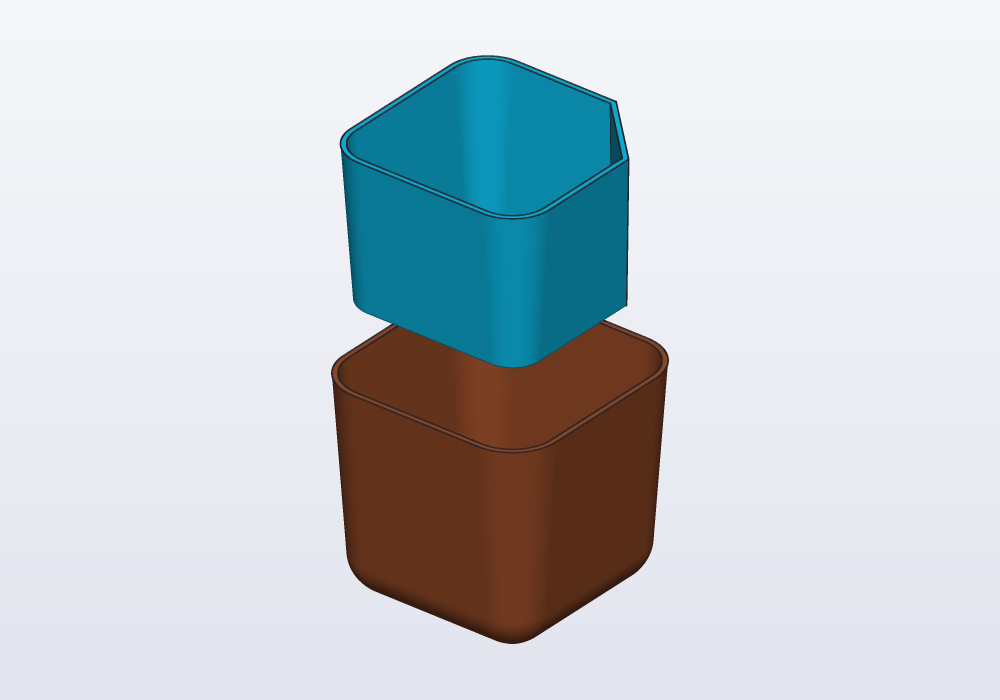
The planter is two pieces. The tank, below, holds the water; the pot rests on a shelf inside it and holds the soil. A cotton cord through the bottom of the pot draws the water up, and a corner cut off the pot lets you fill the tank without lifting the pot. It is 71 × 71 × 66 mm, and both pieces print without supports.
The pages
The first model: a planter
- Install and first start: install hackerscad, open it, move around a model.
- The window: what each part of the window is for.
- The first block: a new model, and round corners made with the mouse.
- Shape the tank: sides that open out, a round bottom, a hollow inside; sections and measures.
- Numbers you can change: parameters.
- The pot inside: a second part, holes made with the mouse, names and loops in the code.
- Reading the model: the steps, what one line makes, which line made a face.
- The shelf and the corner: flat shapes raised into solids, lists, a corner cut off.
- Sizes, a choice and a check: presets, a
yes-or-no parameter with
if, a check that warns. - Print it: export, slice, put it together.
- Let an AI agent help: ask an agent, and watch it work in the window; a part rebuilt from a file or a photo, a part made round a real object, pointing at places.
Drawing with sketches
- A first sketch: a medal: an outline told by its rules instead of its numbers, one rule at a time, and the shapes a sketch has.
- Carlo, drawn with a sketch: the mascot's outline told by its rules (level, leaning, parallel, teeth all alike), solved and extruded.
- A pillow block, drawn with sketches: a mechanical part from five sketches on five of its surfaces, its edges picked by where they came from, a check that its slots have room.
And then
- Going further: the examples, a hook made ready to print, a label from a drawing, sketches on faces, sweeps, libraries, drawings, the command line, and what to do when something goes wrong.
Each page ends with a picture of how the window should look, and with the model as it is at that point, to open if something went wrong.
The full description of the language is the language reference; the cheatsheet lists it one line per function.