← Reading the model · Contents · Sizes and a check →
8. The shelf and the corner
Two things are missing. The pot floats: the tank needs a shelf inside, for the pot to rest on, 16 mm above the floor. And the water has to reach the tank, under the pot: a corner cut off the pot leaves a way down. The shelf is a shape that the mouse does not make, so this page has more code to write, and it introduces the shapes drawn flat and then raised.
Profiles: flat shapes
Besides solids (box, cylinder…), hackerscad has profiles: flat
shapes, drawn on the ground (rect, circle, polygon, text…). They
combine like solids, and they become solids when raised: .extrude(10.mm)
lifts a profile 10 mm, loft([a, b, c]) passes a smooth surface through
profiles at different heights. Solids and profiles combine with three signs:
a + b joins, a - b takes b away from a, a & b keeps only what they
have in common.
The code to add
Write this at the end of the file:
/// The inside of the tank at height z, raised there: the walls open out
/// by 4°.
Profile inside(Length z)
{
    immutable out = z * tan(4.deg), across = size + 2 * out - 3.2.mm;
    return rect(across, across)
        .round(10.mm + out - 1.6.mm)
        .move(z: z);
}

/// A shelf 4 mm wide inside the tank, flat on top at 16 mm, where the pot
/// rests. Underneath it curves down into the wall: it prints without
/// supports.
Solid shelf()
{
    Profile[] wall, curve;
    foreach (i; 0 .. 5)
    {
        // five outlines, from 8 mm up to 16 mm
        immutable s = i / 4.0, z = 8.mm + 8.mm * s;
        auto outline = inside(z);
        wall ~= [outline];
        curve ~= [outline.offset(-4.mm * s * s - 0.01.mm)];
    }
    auto full = loft(wall);
    auto narrowing = loft(curve);
    return full - narrowing;
}

/// What is cut off the back right corner of the pot: the water goes in
/// there, between pot and tank.
Solid corner() => box(40.mm, 40.mm, 3 * height, center: true)
    .rotate(z: 45.deg)
    .move(x: size / 2 + 6.mm, y: size / 2 + 6.mm);
Then add the shelf to the tank. In the tank part, change return box(…
into auto t = box(…, so that the tank gets a name, and after the chain,
after .shell(…);, add:
    // the shelf the pot rests on
    return t + shelf();
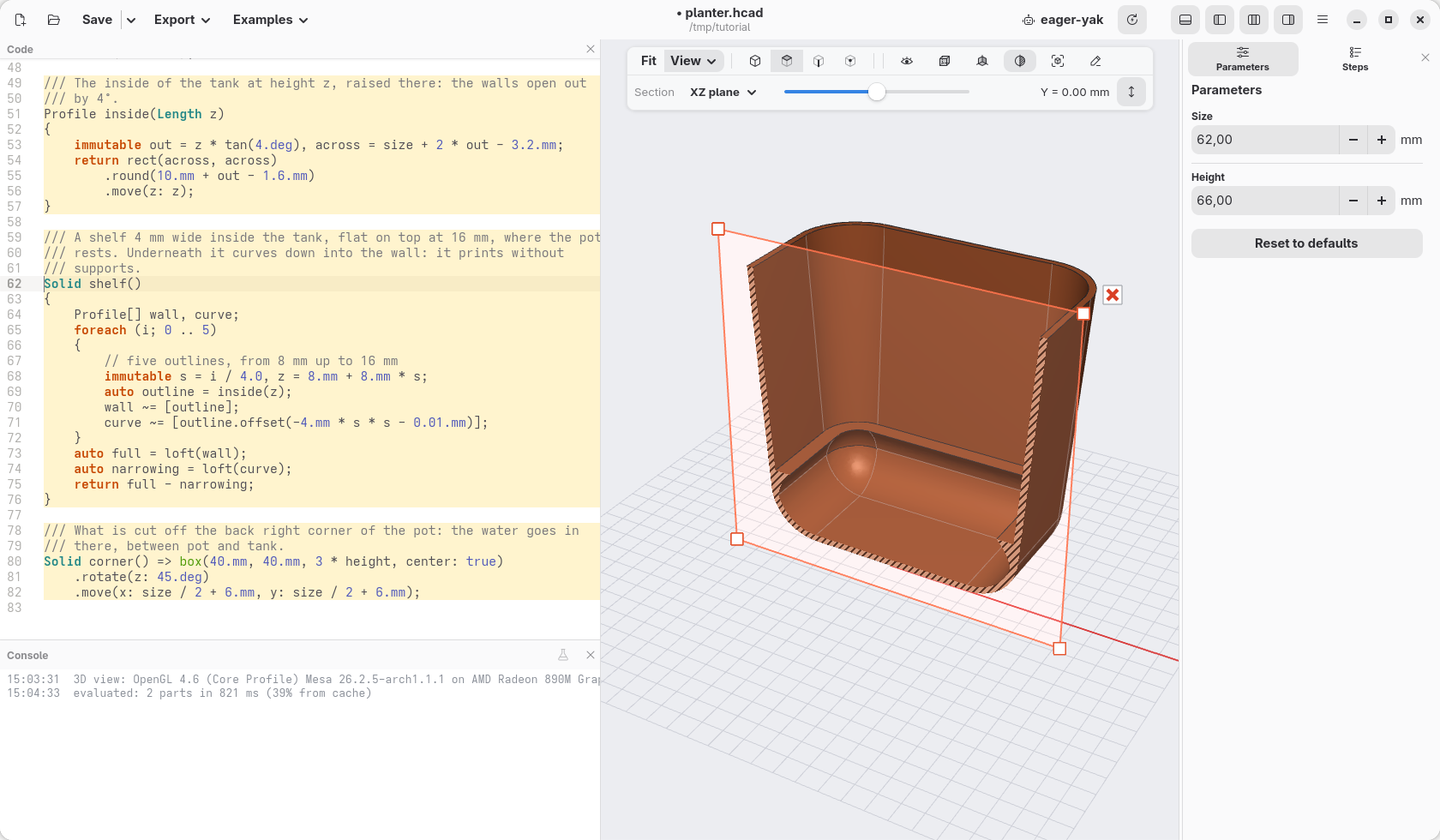
How the shelf is made
The outline of the inside. inside(z) is a function that takes a
value: it gives the outline of the inside of the tank at height z, a
square with round corners (rect(…).round(…)), raised to that height
(.move(z: z)). Length z says that what it takes is a length. The walls
lean out by 4°, so the higher, the wider: out is how much wider the tank is
at that height than at the bottom (tan, from geometry, turns the angle into
that length), and the walls are 1.6 mm thick, 3.2 mm across.
A list of outlines. Profile[] wall, curve; makes two empty lists of
profiles. foreach (i; 0 .. 5) counts from 0 to 4: five times, with
i = 0, 1, 2, 3, 4. Each time:
sgoes from 0 to 1 (i / 4.0: 0, 0.25, 0.5, 0.75, 1), andzfrom 8 mm to 16 mm;outlineis the outline of the inside at heightz, andwall ~= [ … ]adds it to the listwall;curve ~= [ … ]adds to the listcurvethe same outline made smaller by4.mm * s * s: by nothing at the bottom, by a little in the middle (1 mm at half height), by 4 mm at the top. Growing ass * s, it draws a curve.
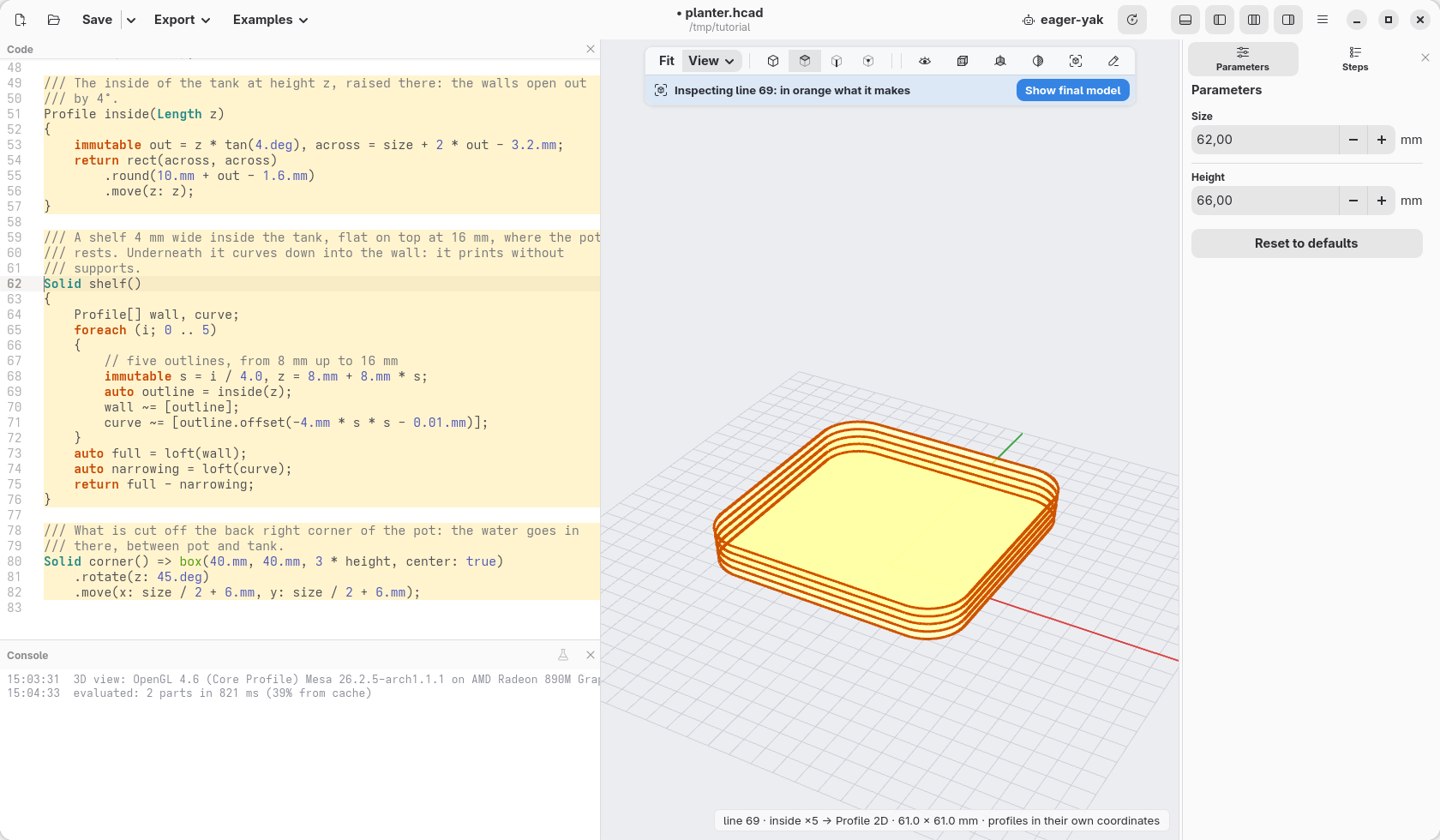
Look at them, as on page 7: Ctrl+click the line auto outline = inside(z);.
The loop runs it five times, and the view shows the five outlines it made,
one above the other, each a little wider than the one below, following the
wall:
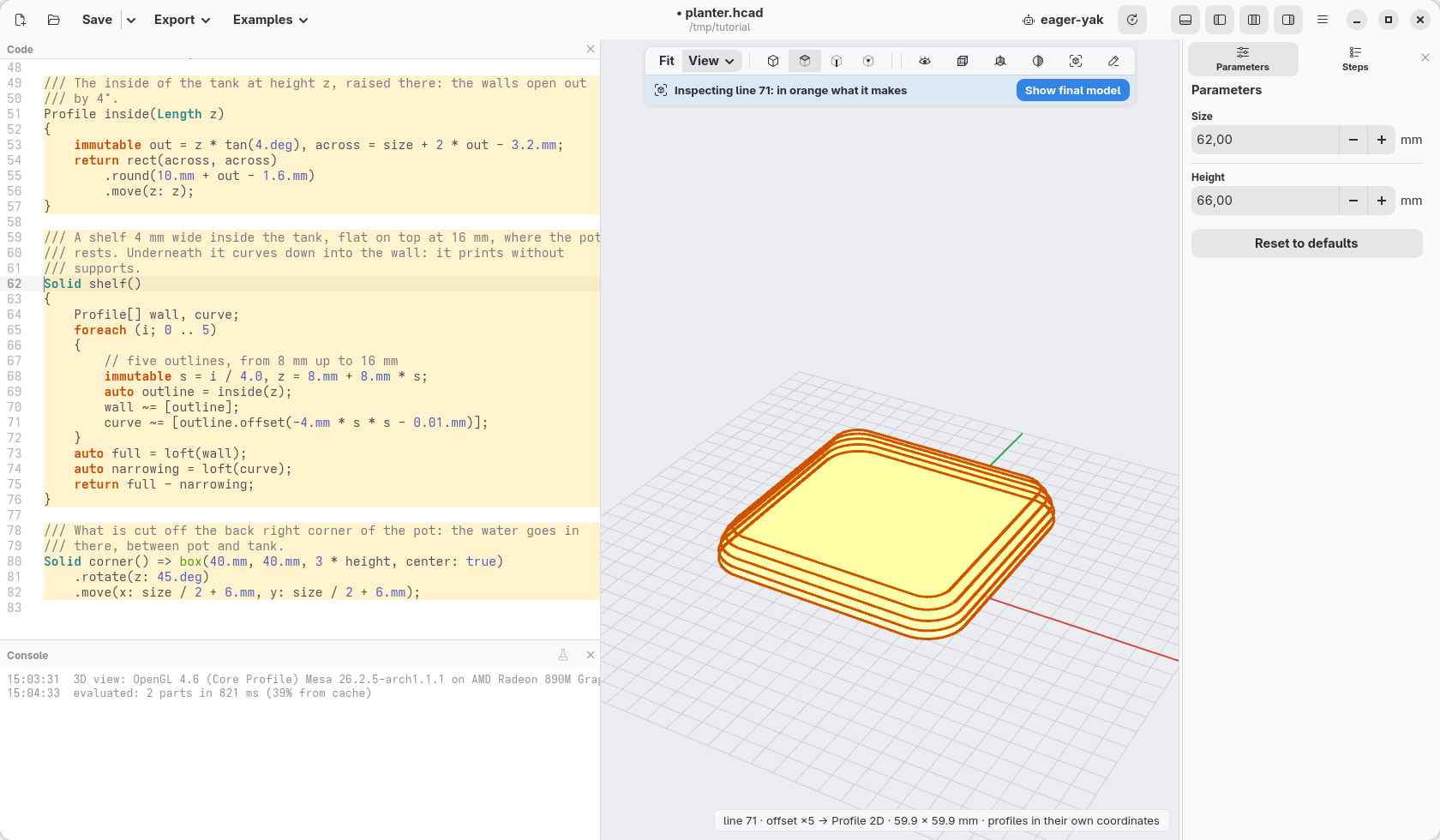
Ctrl+click the line curve ~= [ … ]: the five smaller outlines, the same at
the bottom, then shrinking faster and faster as they rise:
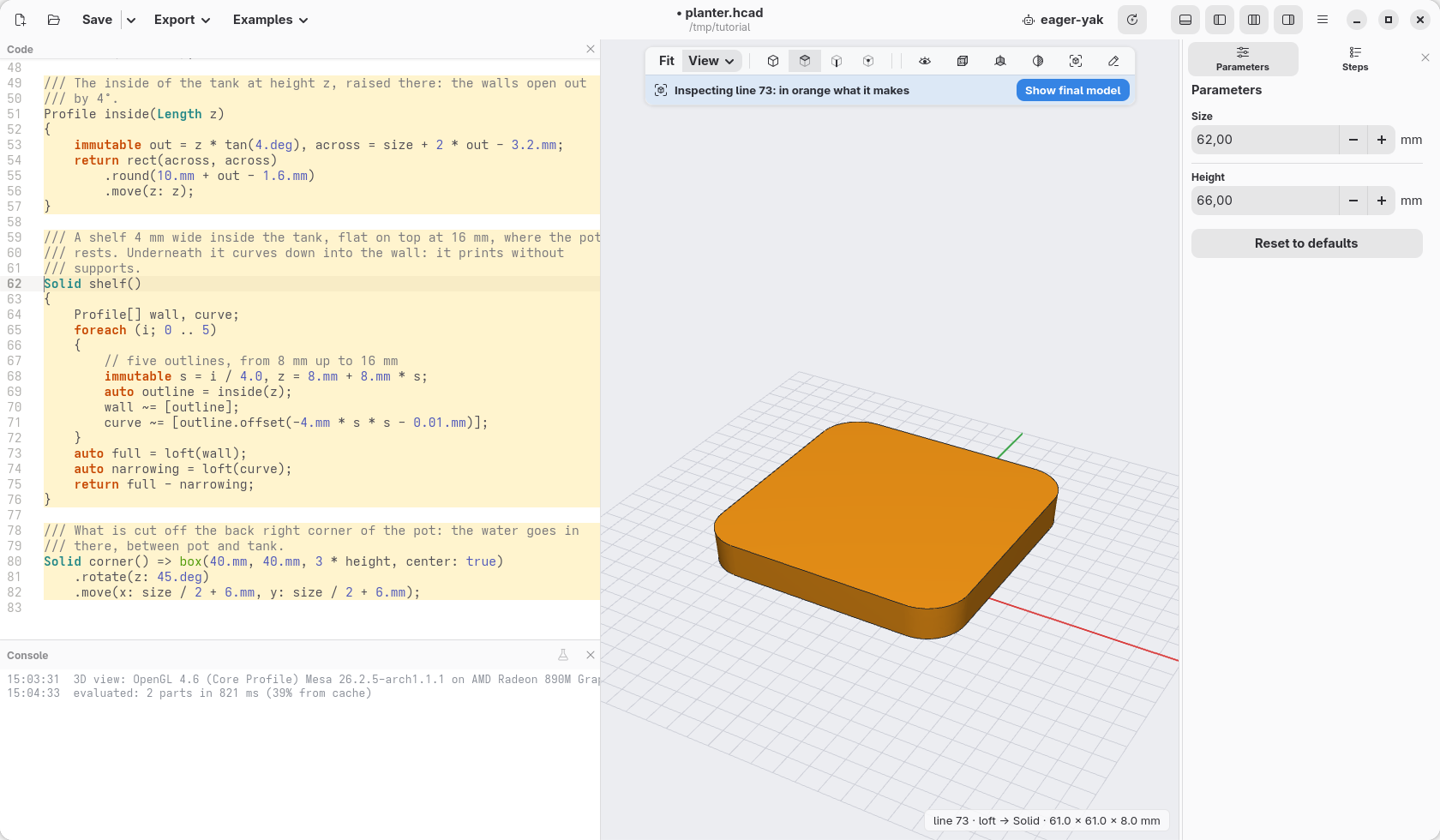
Two lofts. loft(wall) passes a surface through the five outlines of
the wall: a solid that fills the inside of the tank from 8 to 16 mm.
loft(curve) passes one through the smaller outlines: the same, but
narrowing as it rises. Ctrl+click auto full = …, then auto narrowing = …:
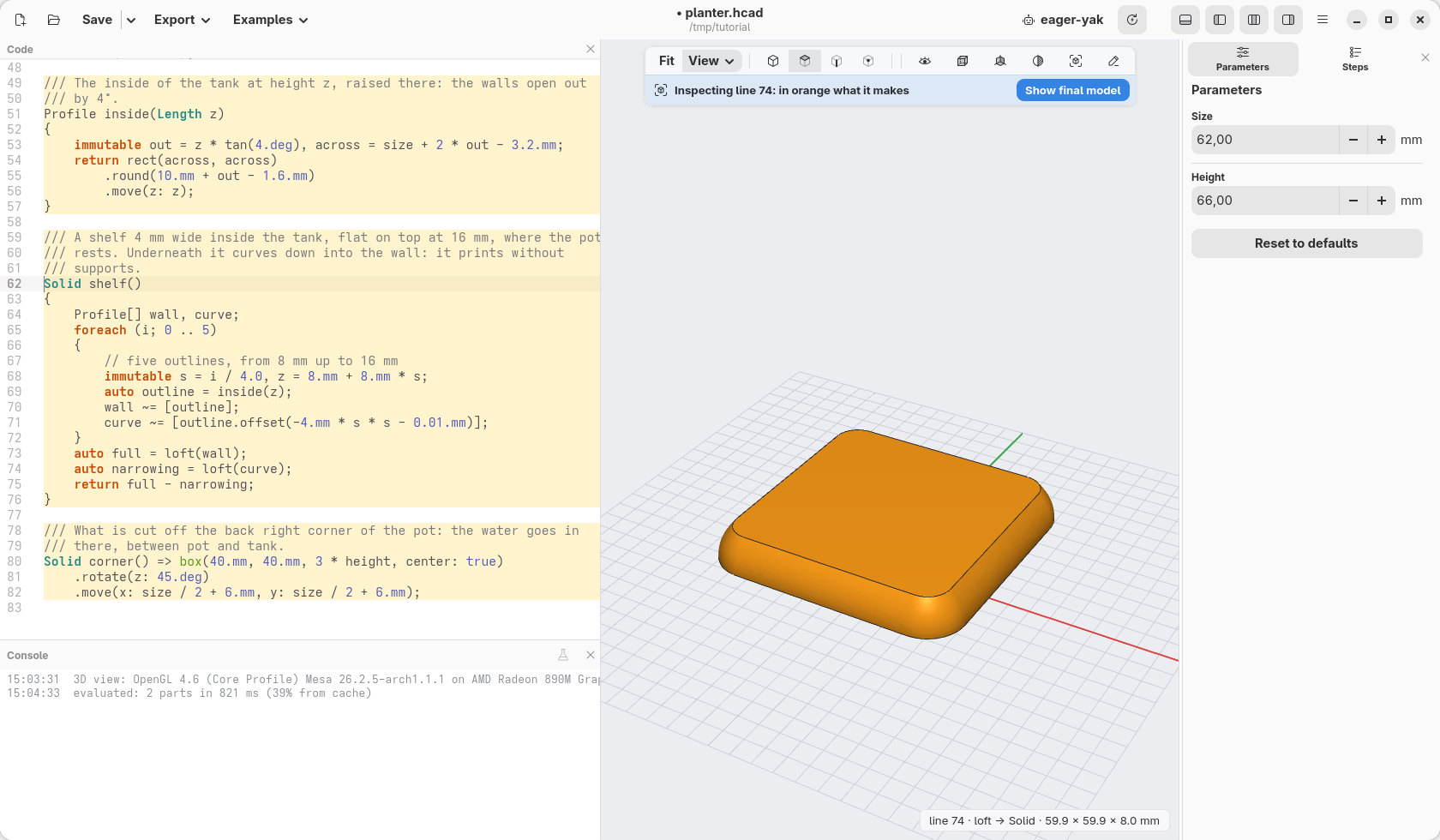
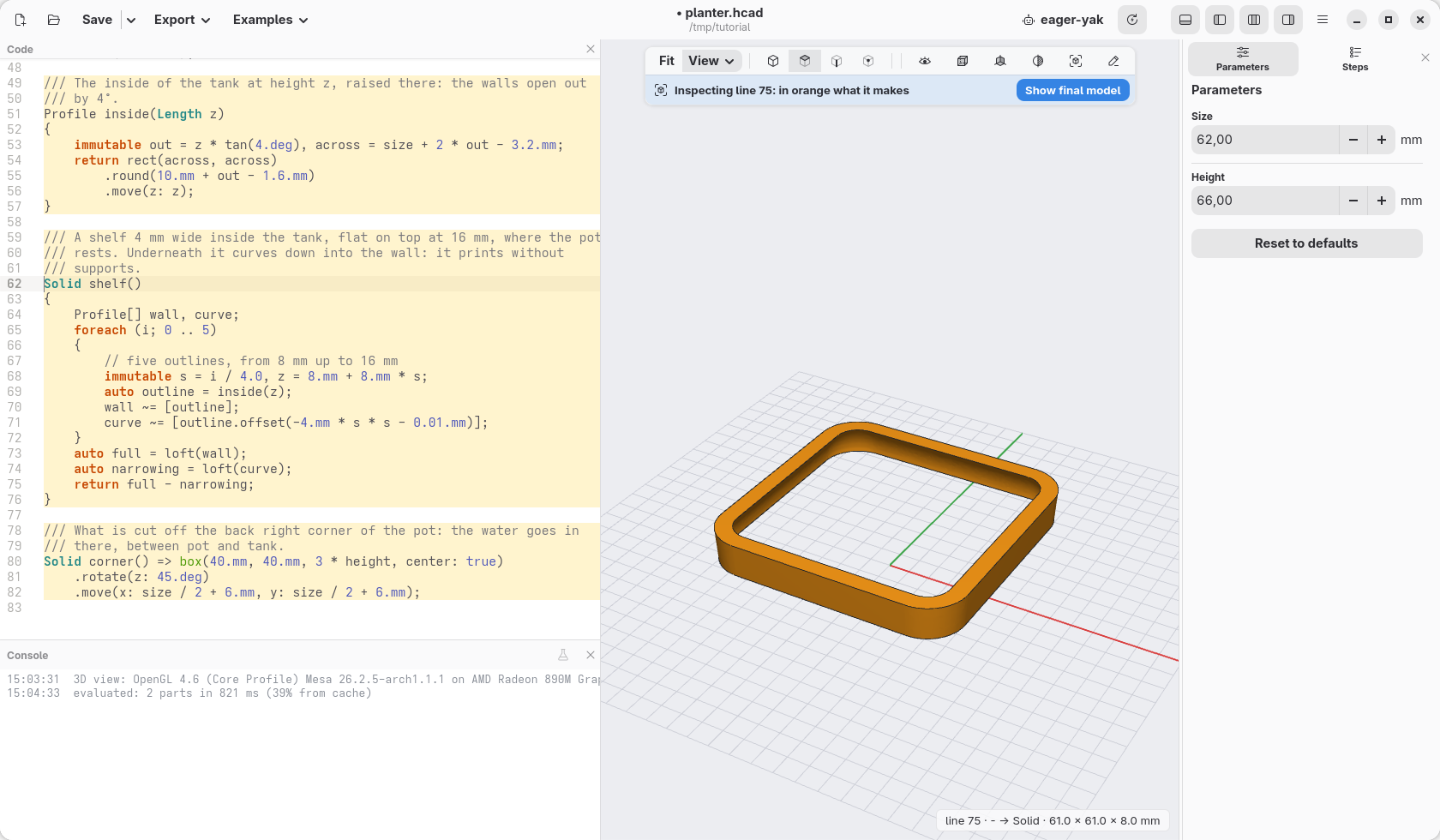
The difference. full - narrowing takes the second from the first. What
is left is a ring against the wall, flat on top, 4 mm wide, curving down into
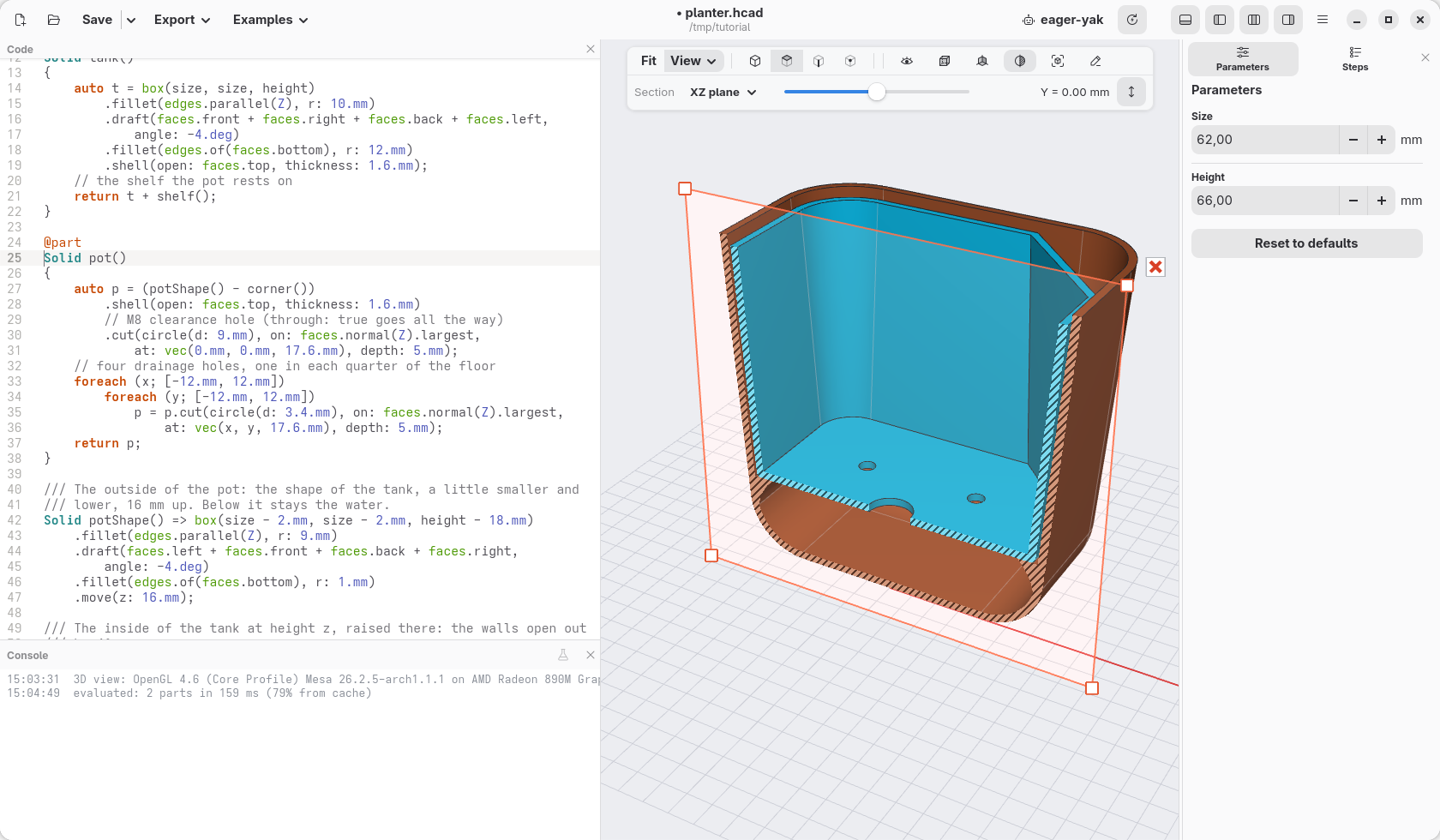
the wall underneath. Ctrl+click return full - narrowing;:
The extra 0.01.mm keeps the two lofts from touching at the bottom: two
surfaces exactly on top of each other are hard to cut. In section, close:
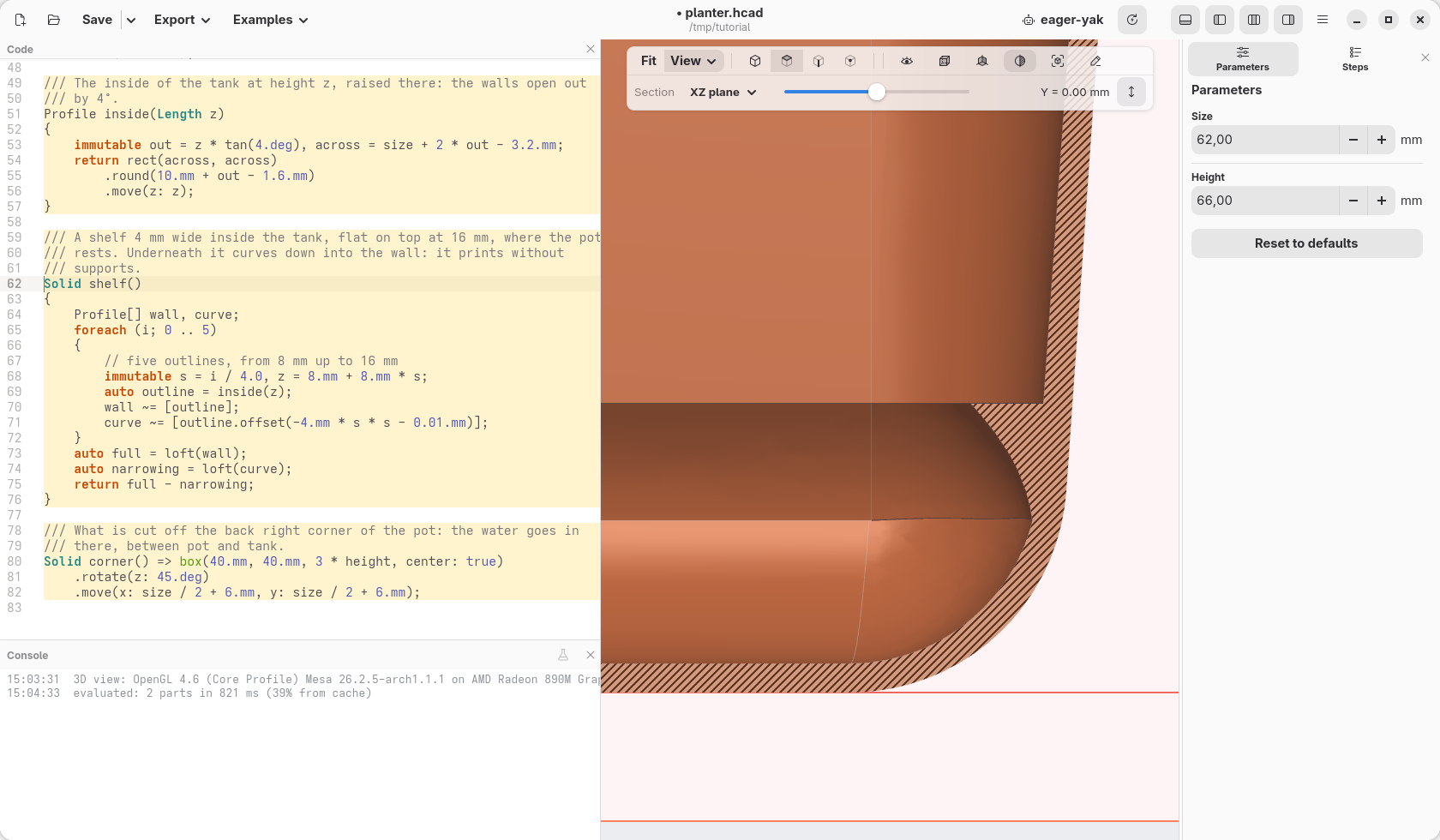
A 3D printer cannot print in the air: each layer has to stand on the one below. Under a flat shelf it would need supports; under this one each layer sticks out only a little more than the one below, and it prints by itself.
A corner to pour the water in
corner() is a block 40 by 40 mm, turned by 45° (.rotate(z: 45.deg)) so
that it stands on one of its corners, and moved to the back right corner of
the pot (size / 2 is half the width of the tank). It is three times as tall
as the planter and centred in height (center: true): it goes through
everything.
Take it away from the pot: in pot, the first line becomes
auto p = (potShape() - corner())
The brackets say what goes first: the corner is taken away from the shape of the pot, and then the result is hollowed out. Hollowing first, the cut would leave the pot open on that side.
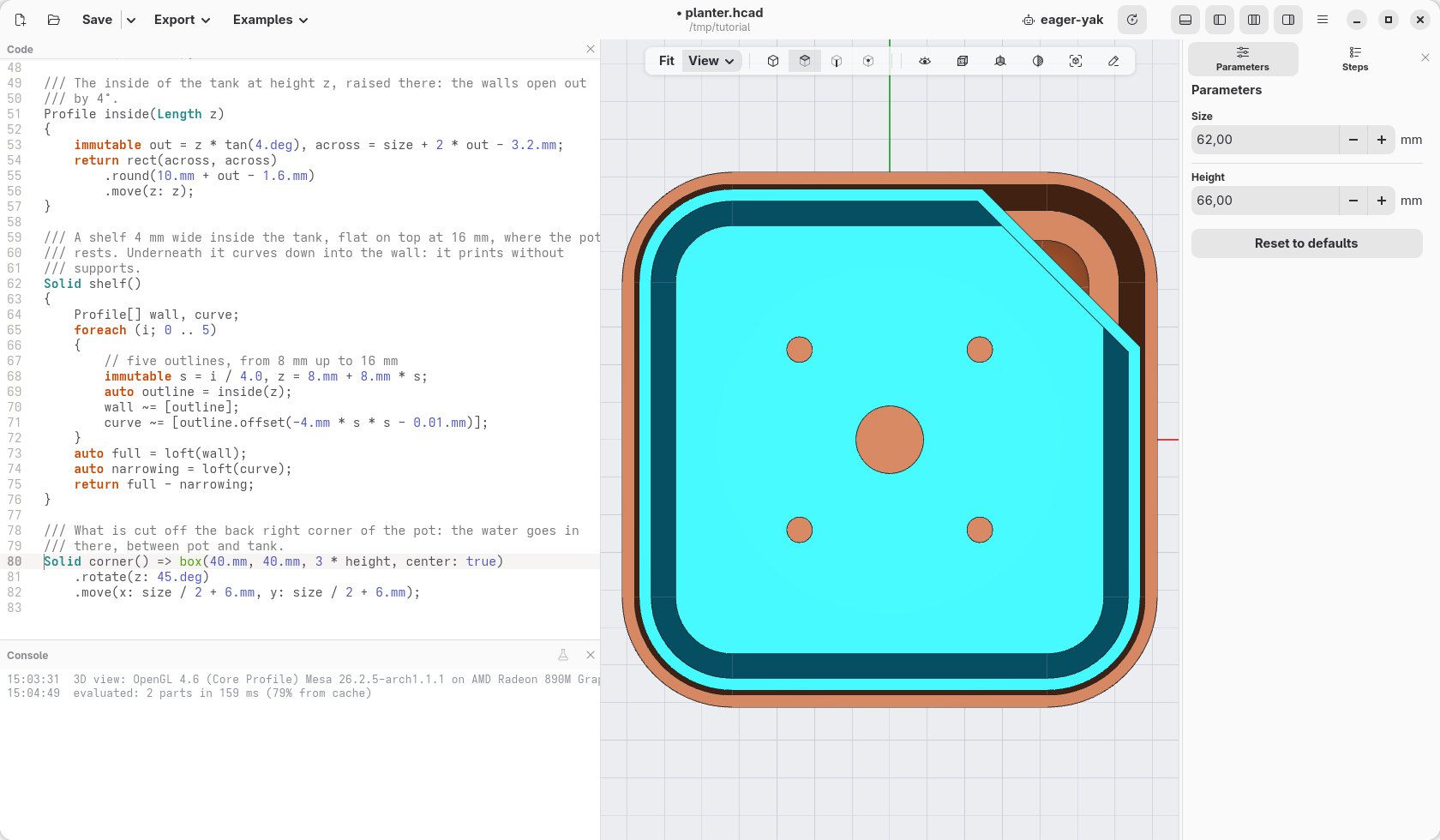
Pour water there: it fills the tank under the pot. The cord through the middle hole draws it up into the soil, and looking into the corner you see how much is left.
See through it
The cube in the view bar, Wireframe: only the edges, the hidden ones fainter. The shelf and the holes show through the walls.
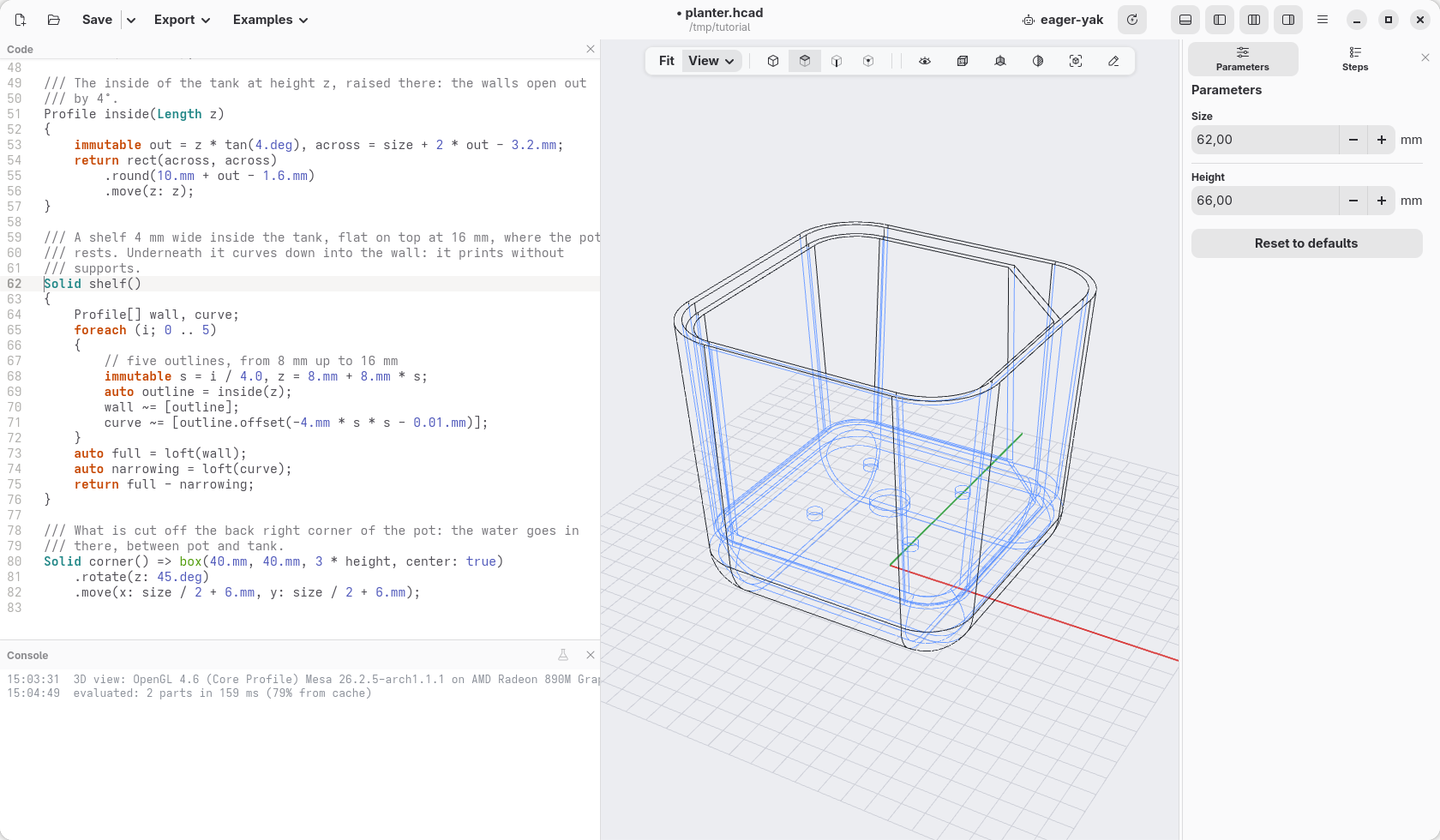
Set it back to Shaded with edges.
Check
The code at the end of this page: planter-08.hcad.