← The pot inside · Contents · The shelf and the corner →
7. Reading the model
The model has grown: two parts, a dozen steps, a few dozen lines. You do not have to read the code to find your way in it: the window shows what each line does, and which line made what you see. Nothing changes in the model on this page.
The steps, one at a time
Open the Steps tab, next to Parameters. It lists the steps of the model in the order they run, grouped by part: for the tank the box, the rounding, the draft, the second rounding, the shell.
Each row shows its line number and the start of its code. Click the row of
the draft, 16 draft(faces.front + …. The view goes back to the model as it was right after that
step, and the faces the step made are orange: the four sides, now leaning
out. A bar over the view says which step you are looking at.
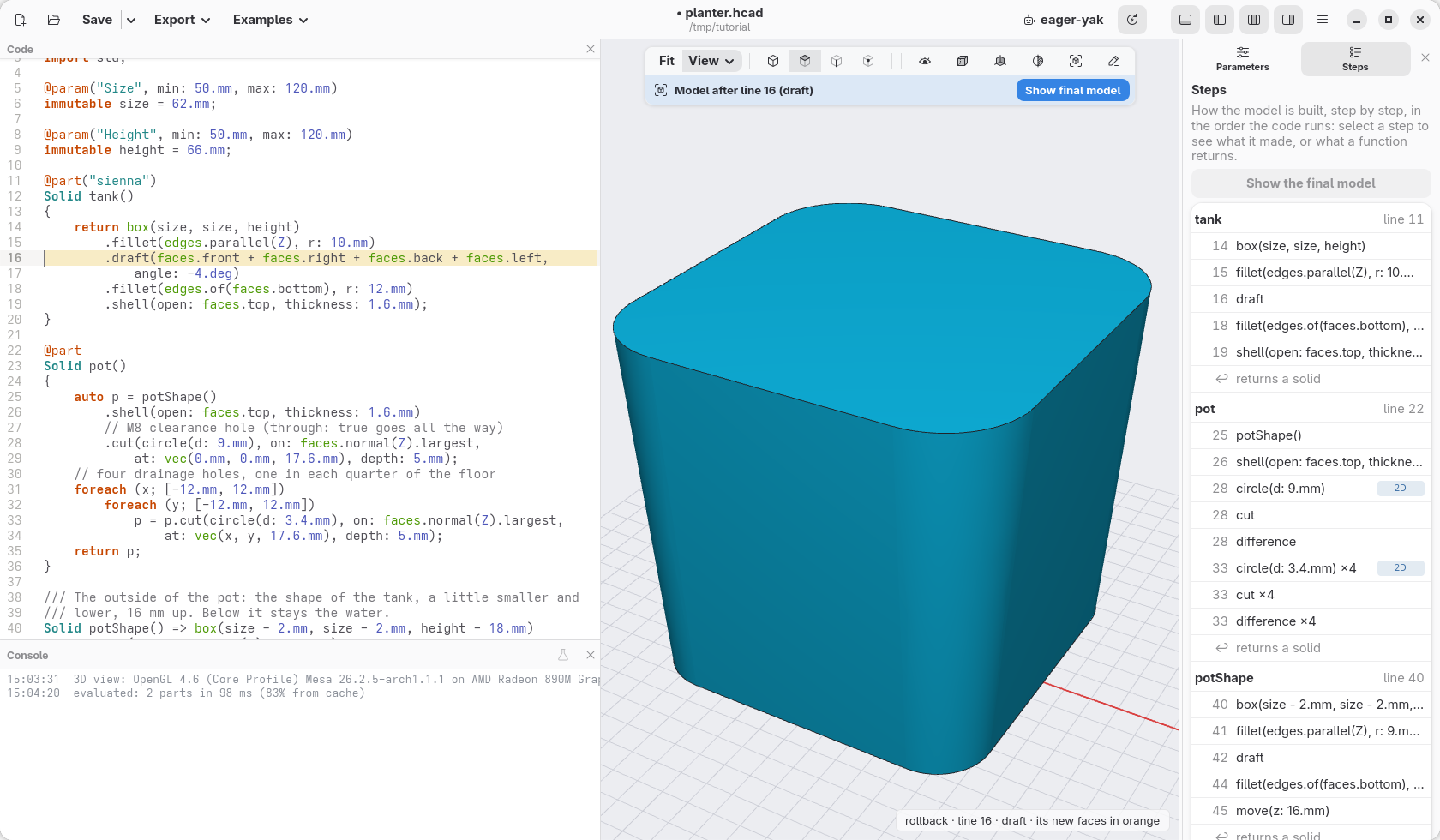
Click the other steps to see the tank grow one step at a time. When you are done, click Show final model in the bar, or press Esc.
What one line makes
Hold Ctrl and click a line of the code: the view shows what that line makes on its own, in orange, with the rest of the model as a faint ghost. The magnifying glass in the bar over the view does the same without Ctrl: click it, then click a line.
Ctrl+click the line Solid potShape() => box(…). It shows the outside of
the pot by itself, as a solid block: the shape that pot() then hollows out
and fills with holes.
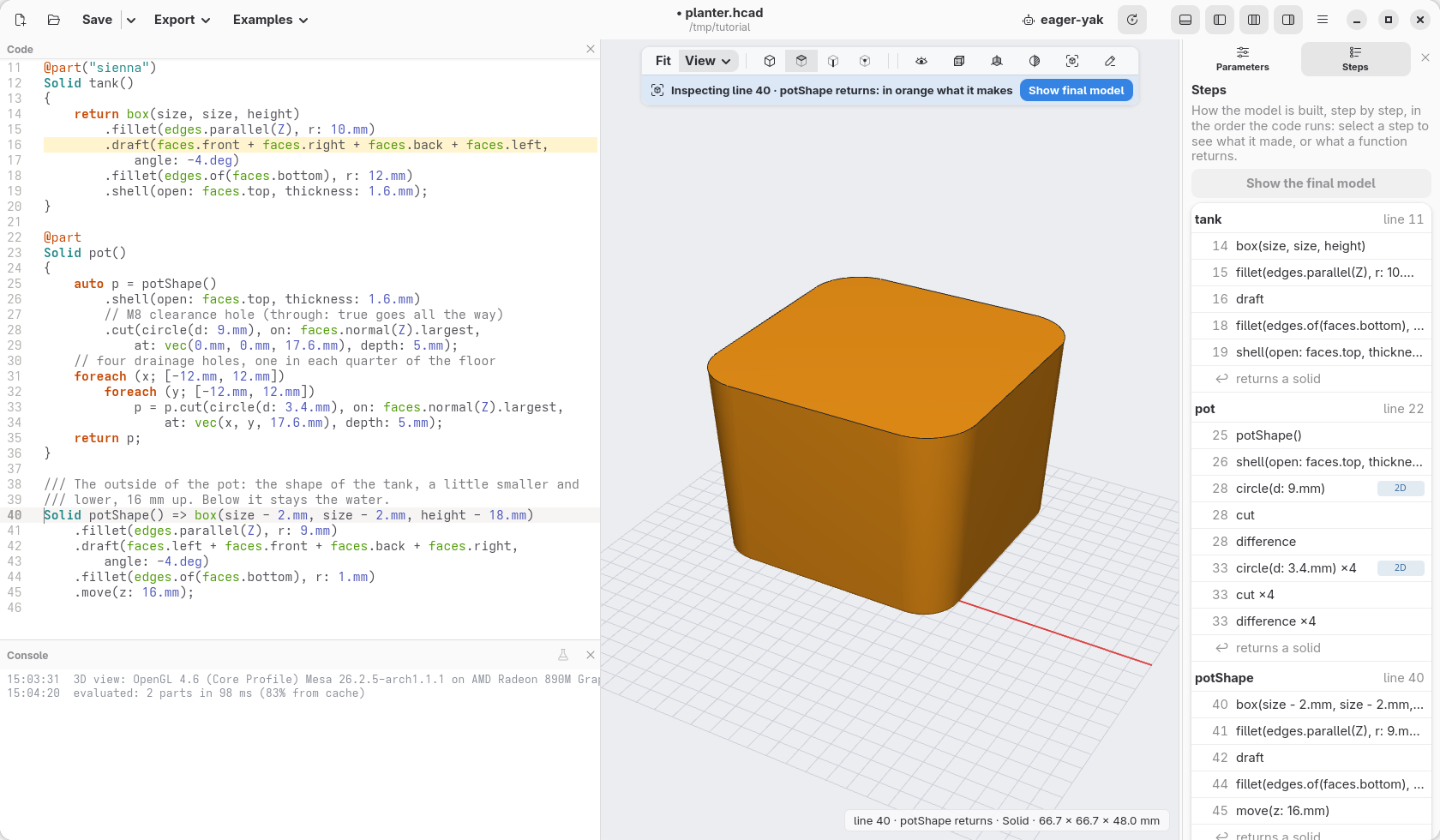
Click an empty part of the view, or press Esc, to come back.
From the model to the code
It works the other way round too. Click a face of the model: the line of code that made it is highlighted, and the note at the bottom right says what it is.
Click the front of the tank. The note reads tank · face 5 · draft, line 16: that face, as it is now, comes from the draft on line 16 (the box made it, the draft moved it).
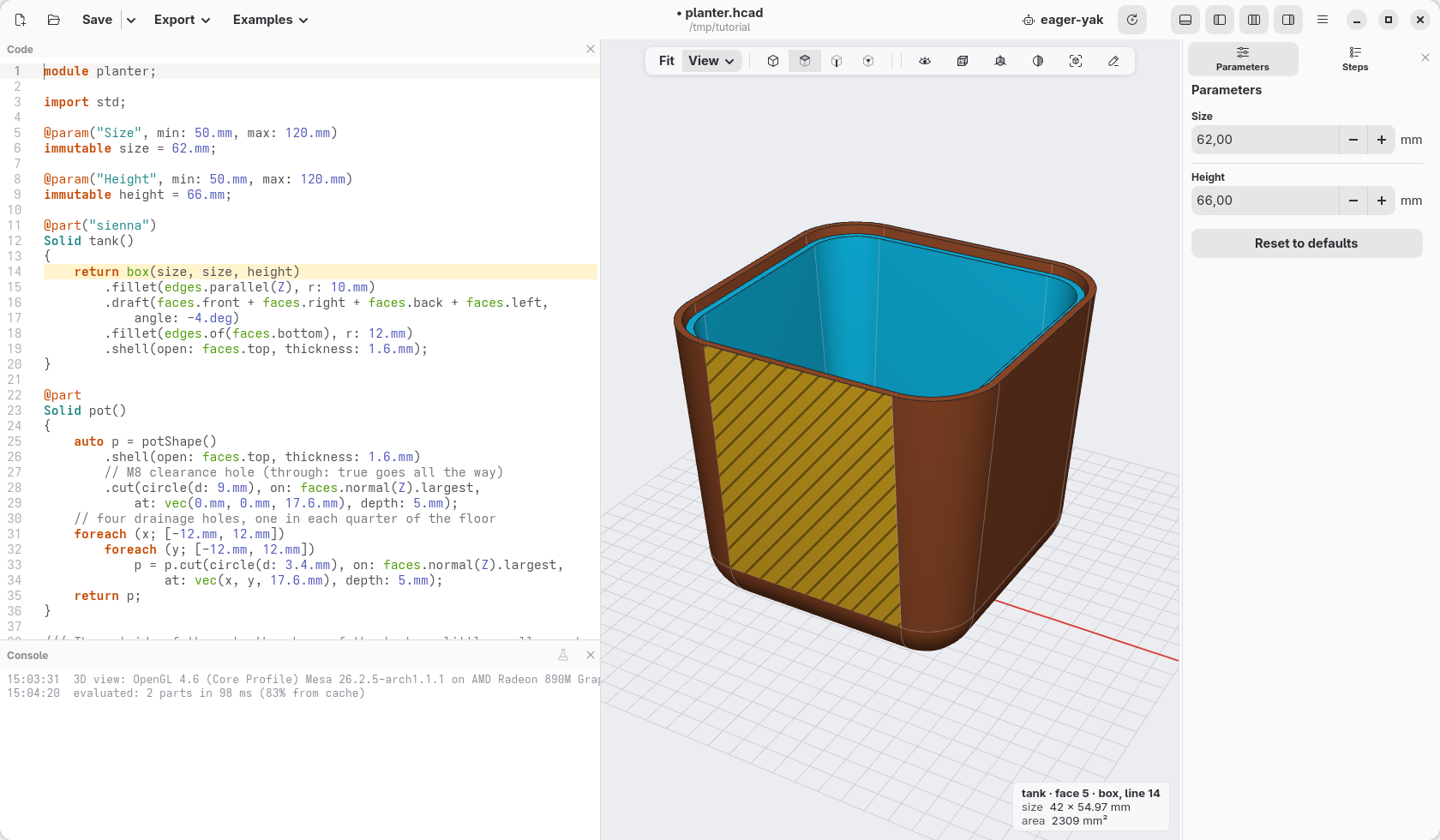
This is the quickest way to answer "where does this come from?" in any model, including the ones you did not write.
Check
The model is the same as at the end of the previous page, planter-06.hcad.