1. Install and first start
On this page you install hackerscad and open it for the first time.
Install
Download the package for your system from the releases.
Linux: the file is
hackerscad-<version>-x86_64.AppImage. Make it executable and run it:chmod +x hackerscad-*-x86_64.AppImage ./hackerscad-*-x86_64.AppImageWindows: unzip
hackerscad-<version>-windows-x86_64.zipanywhere and runhackerscad.exein thehackerscadfolder. The program is not signed: if Windows stops it ("Windows protected your PC"), choose More info, then Run anyway. On computers without a recent enough graphics card, such as virtual machines, it draws the 3D view with the software it ships with.macOS (Apple Silicon): unzip
hackerscad-<version>-macos-arm64.zipand movehackerscad.appto Applications. The app is not signed by an Apple developer, so macOS says it is damaged unless you clear the marks it puts on downloaded files. In the Terminal:xattr -cr /Applications/hackerscad.appthen open it as any other app.
Building it from the source code is explained in the README.
The first start
Open hackerscad. A window opens on an example: Carlo, the mascot, a clip that keeps bags of biscuits closed, something to play with. It is the first of the Examples menu, which opens him again at any time.
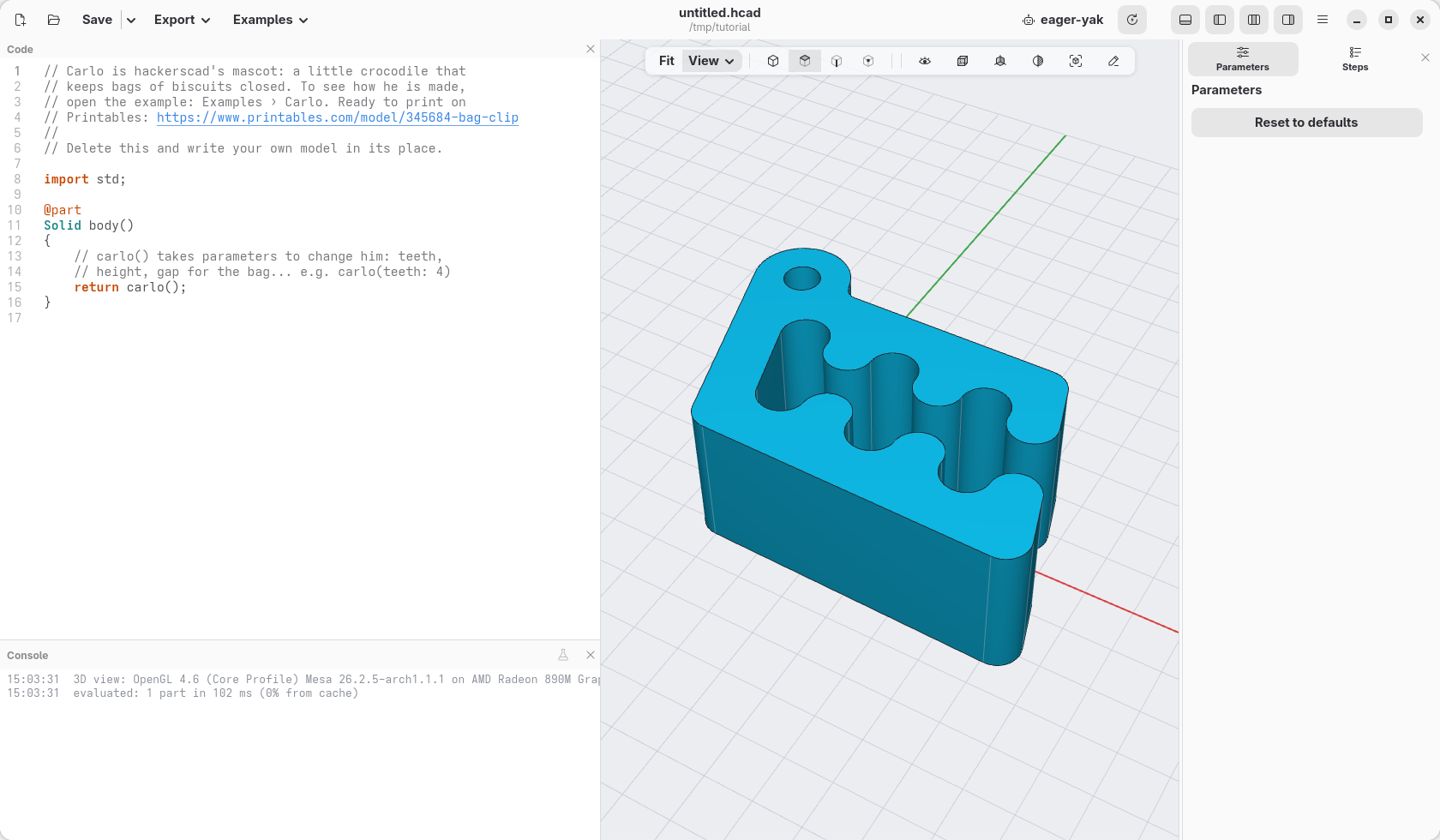
Move around the model with the mouse, in the big area in the middle:
- drag with the right button (or Shift and the left button) to turn it;
- drag with the middle button (or Ctrl and the left or right button) to move it;
- turn the wheel to zoom in and out, towards the pointer;
- Fit, in the bar over the view (or F6), frames the whole model again; the View menu next to it looks at it from the sides: Iso, Top, Front and Right.
The left button is for picking things, as you will see: a click picks what is under the pointer, a drag a box of them. On a laptop without a middle button, Shift and Ctrl turn the left button into the other two.
Check
You see the clip, and you can turn it, zoom and frame it again. If the 3D view stays empty or shows a message instead, the graphics of the computer are the problem: the message says what to do.