← Numbers you can change · Contents · Reading the model →
6. The pot inside
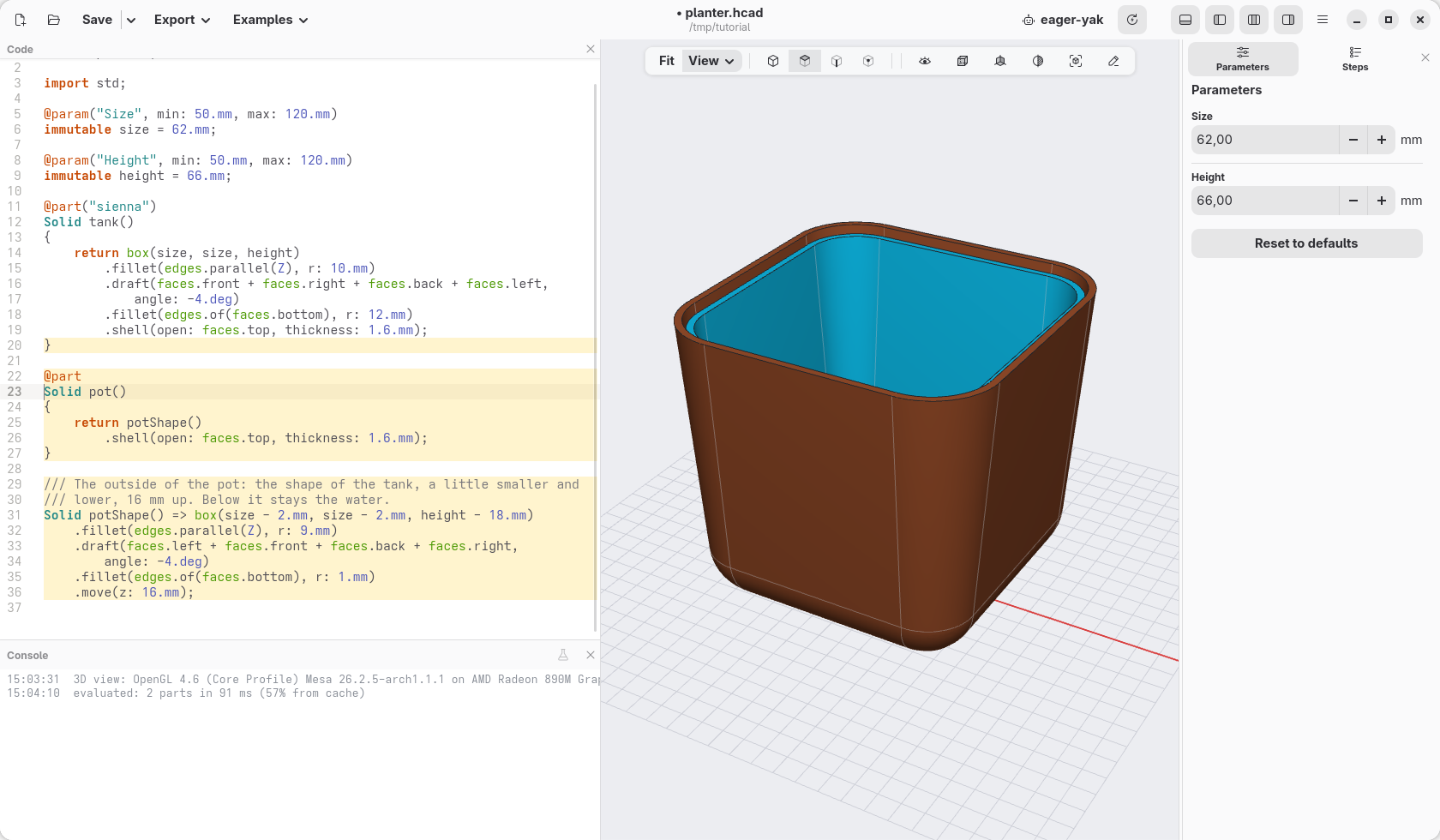
The planter is two pieces: the tank holds the water, the pot holds the soil and sits in the tank, 16 mm above its floor. A cotton cord through the bottom of the pot dips in the water and keeps the soil wet. On this page the pot is made, with its holes.
The pot
The pot has the shape of the tank, a little smaller and lower. Write this
under the tank part:
@part
Solid pot()
{
    return potShape()
        .shell(open: faces.top, thickness: 1.6.mm);
}

/// The outside of the pot: the shape of the tank, a little smaller and
/// lower, 16 mm up. Below it stays the water.
Solid potShape() => box(size - 2.mm, size - 2.mm, height - 18.mm)
    .fillet(edges.parallel(Z), r: 9.mm)
    .draft(faces.left + faces.front + faces.back + faces.right,
        angle: -4.deg)
    .fillet(edges.of(faces.bottom), r: 1.mm)
    .move(z: 16.mm);
potShape()is a function: a shape with a name, made the same way as the tank, then moved 16 mm up (.move(z: 16.mm)). It has no@part: it is not a piece to print, only a shape to use. Page 8 cuts a corner off it.- It is 2 mm narrower than the tank: 16 mm up, where the pot starts, the
inside of the tank is about 1 mm narrower than
size(the walls lean out, and they are 1.6 mm thick), so 0.5 mm stays free all around. It is 18 mm lower: 16 mm under it, and its rim 2 mm below the rim of the tank. pot()takes that shape and hollows it out.@partwithout a colour gives hackerscad's sky blue (Sky Pop).- The lines starting with
///are comments: notes for whoever reads the code, ignored by hackerscad.//starts a comment too.
For now the pot floats in the tank, with nothing under it: page 8 gives it a shelf to rest on.
The holes in the bottom
Open the eye in the view bar and untick tank: the tank hides, the pot stays. Click Top.
Right-click the middle of the bottom of the pot and choose At this point › Hole › Clearance › M8: a hole 9 mm wide, for the cord. (The menu sizes holes for screws; any size can be typed afterwards.) Make its
at:vec(0.mm, 0.mm, …), the middle.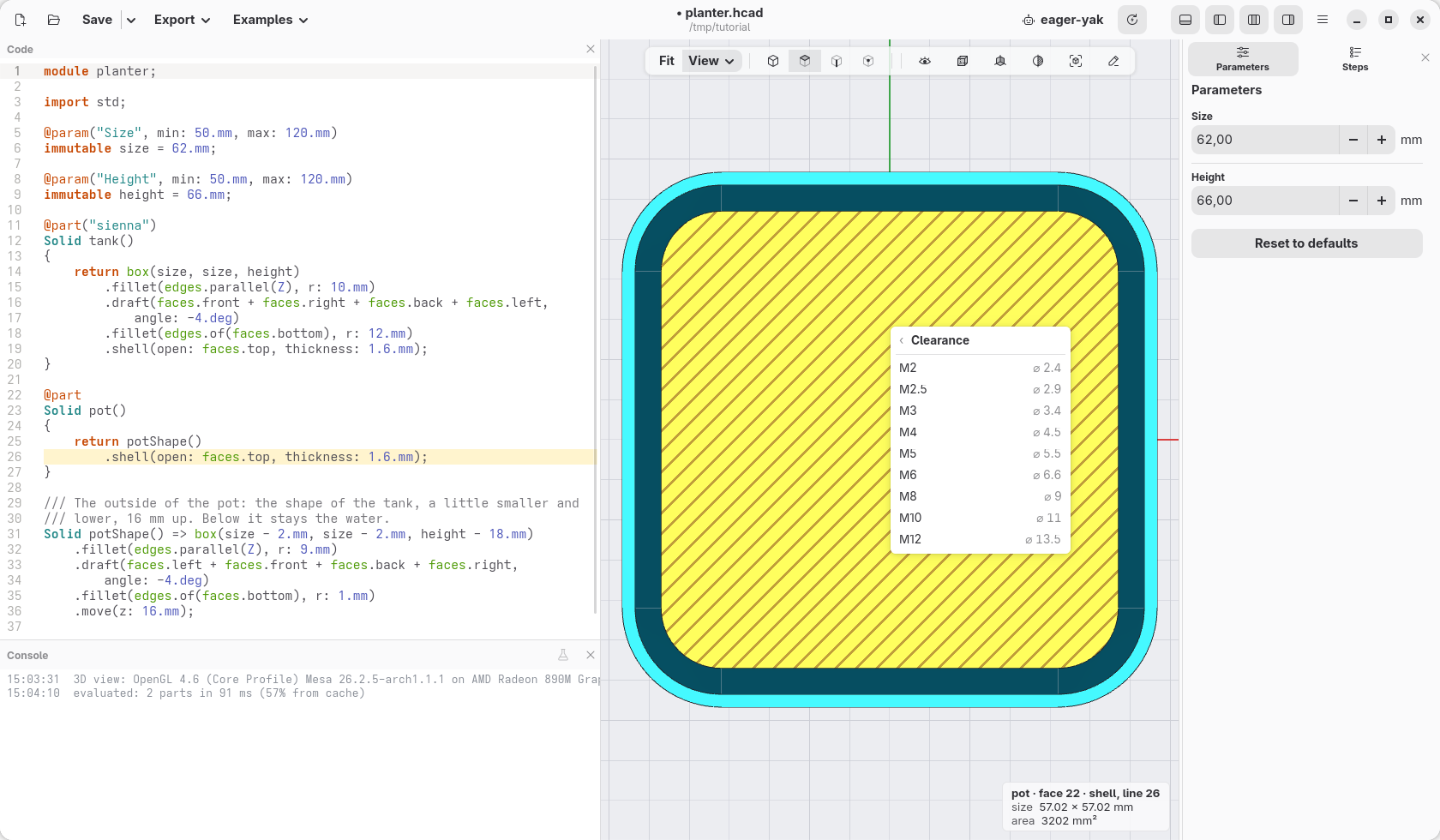
Right-click the bottom again, towards the front left, and choose Hole at point › Clearance › M3: a drainage hole 3.4 mm wide, for the water the soil does not hold. Make its
at:vec(-12.mm, -12.mm, …).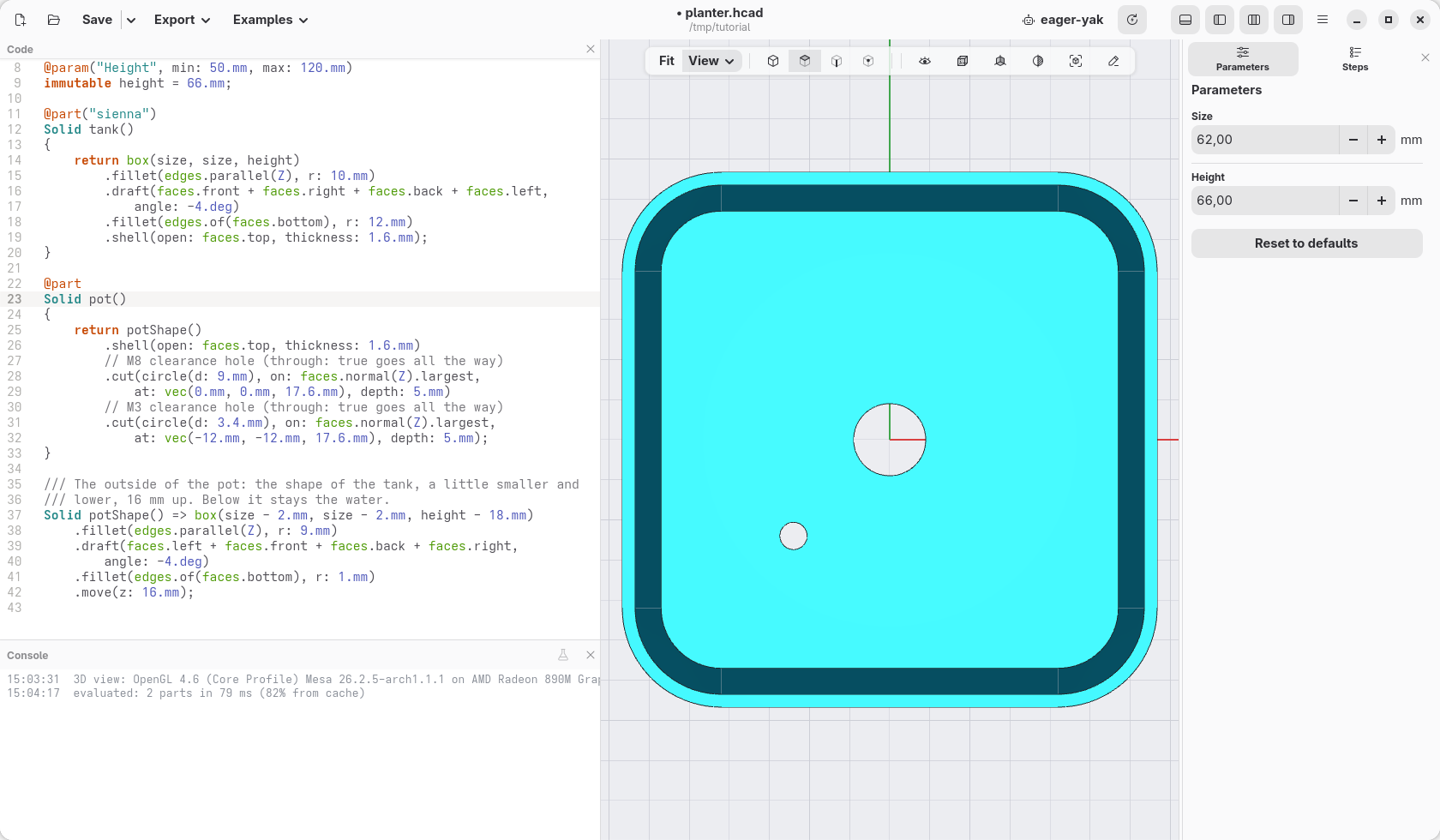
Four holes, said once
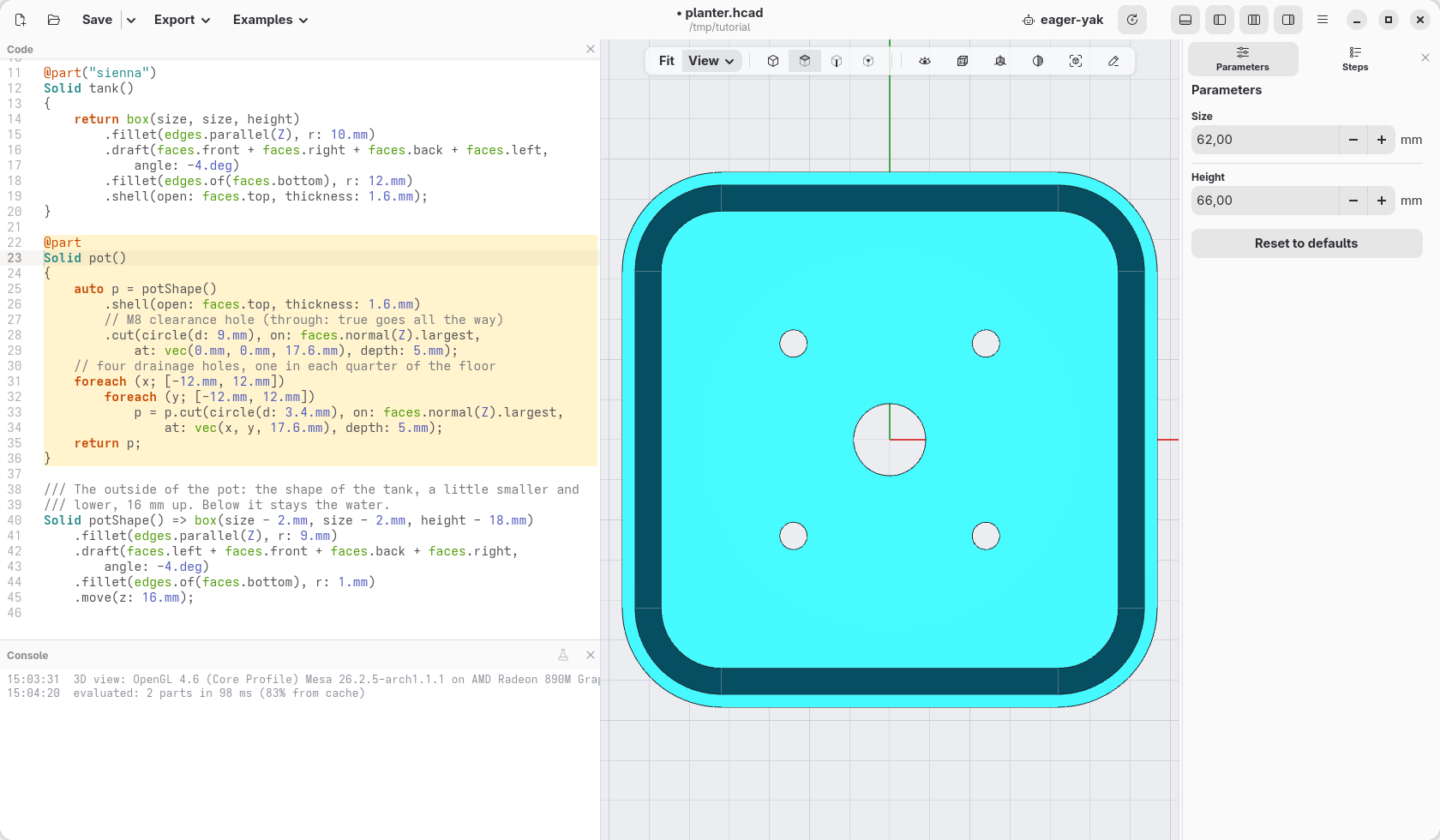
Four drainage holes are better than one: one in each quarter of the bottom,
at ±12 mm across and ±12 mm deep. You could right-click three more times:
four almost equal lines, which differ only by where. When something repeats,
the code can say it once and list what changes. Replace the pot part with:
@part
Solid pot()
{
    auto p = potShape()
        .shell(open: faces.top, thickness: 1.6.mm)
        // M8 clearance hole (through: true goes all the way)
        .cut(circle(d: 9.mm), on: faces.normal(Z).largest,
            at: vec(0.mm, 0.mm, 17.6.mm), depth: 5.mm);
    // four drainage holes, one in each quarter of the floor
    foreach (x; [-12.mm, 12.mm])
        foreach (y; [-12.mm, 12.mm])
            p = p.cut(circle(d: 3.4.mm), on: faces.normal(Z).largest,
                at: vec(x, y, 17.6.mm), depth: 5.mm);
    return p;
}
Read it from the top:
auto p = …;gives the pot with its middle hole a name,p, instead of returning it at once. (autolets hackerscad work out what kind of thing it is: here a solid.) The chain of steps is the same as before: a chain is one way to write steps that follow each other, a name is another, handy when there is more to do with the result.[-12.mm, 12.mm]is a list of two values.foreach (x; [-12.mm, 12.mm])repeats what follows once for each value of the list, calling itxeach time. Inside it, a secondforeachdoes the same withy: for each of the twox, each of the twoy, so four holes, at (−12, −12), (−12, 12), (12, −12) and (12, 12).p = p.cut(…)digs a hole inp, andpbecomes the pot with that hole..cut(…)digs the circle into the face, 5 mm deep: more than the bottom is thick, so it goes through.return p;hands over the result: the pot with its five holes.
Open the eye again and tick tank.
Check
In section: the pot in the tank, with room for the water below.
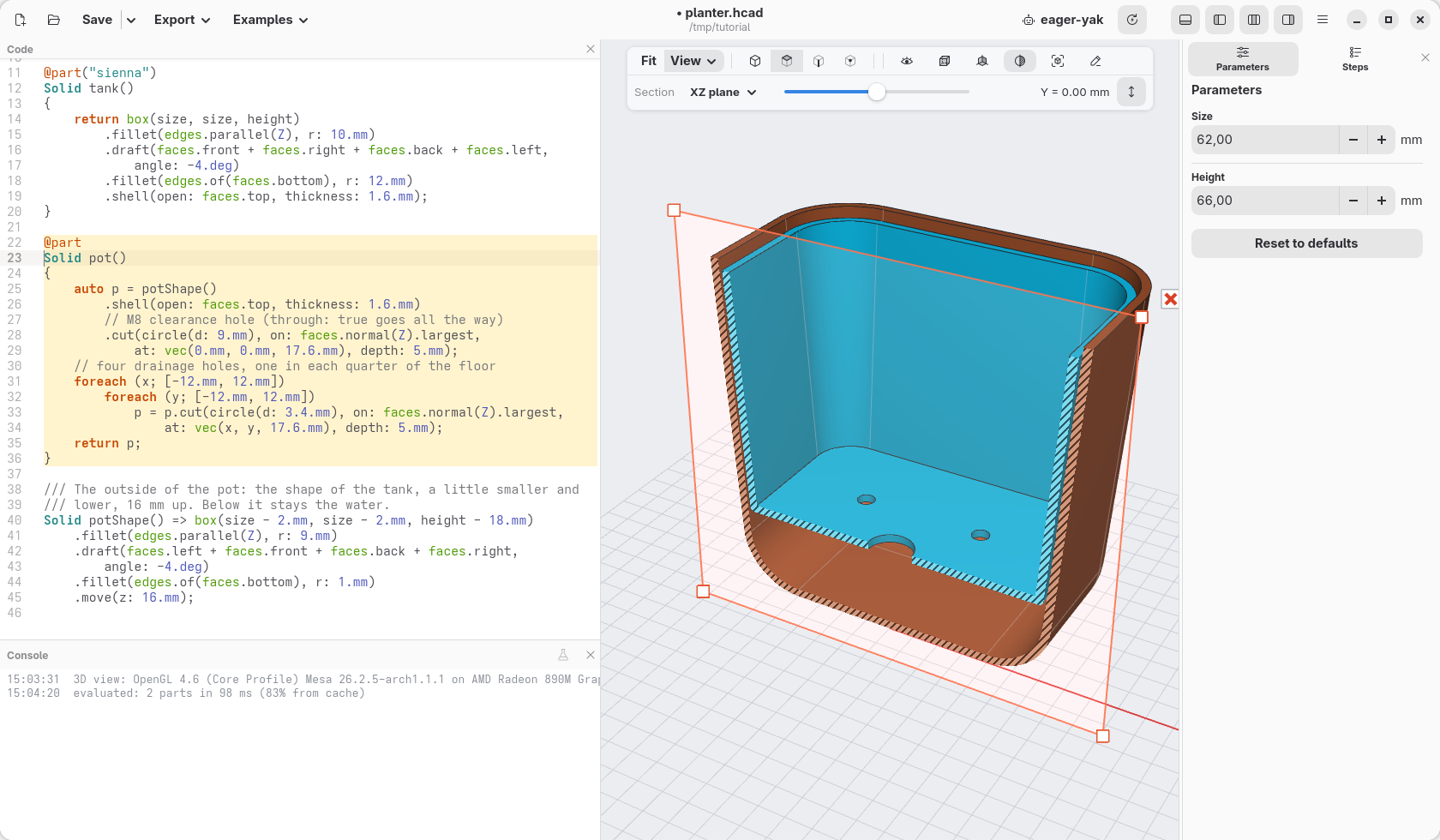
The code at the end of this page: planter-06.hcad.