← The first block · Contents · Numbers you can change →
4. Shape the tank
Three more steps with the mouse and the block becomes the tank: the sides open out a little, the bottom is rounded, and the inside is hollow.
Sides that open out
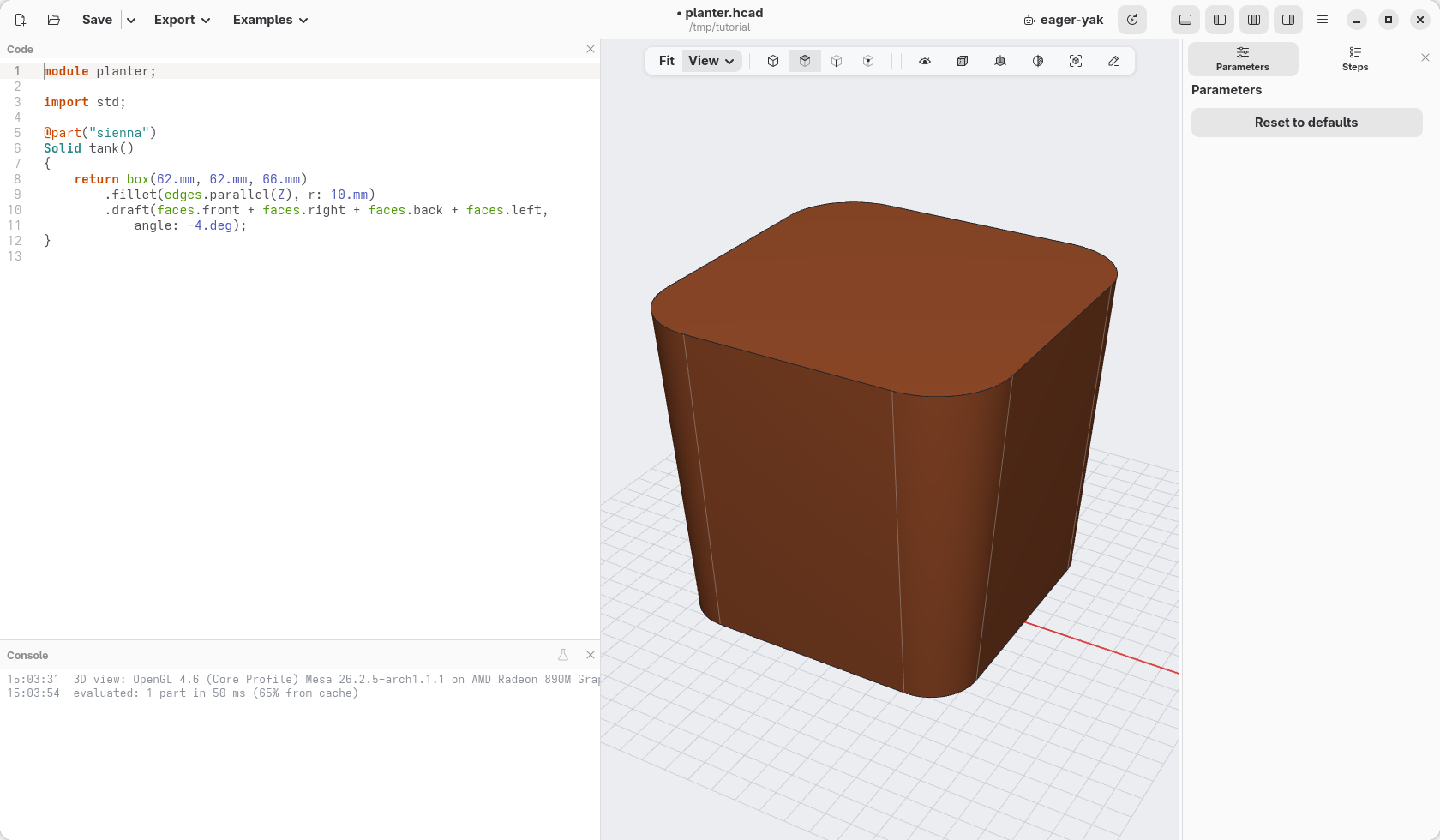
A pot looks better, and comes off a mould or the print bed more easily, when its sides lean out a little. Tilting a face like that is called a draft.
- Pick faces again in the view bar (the second of the four buttons, or Alt+2), then click the front face of the block, then the face on the right.
- Turn the view (drag with the right button) until you see the other two sides, and click them too. Then click Iso to come back. The note at the bottom right says 4 faces selected.
- Right-click one of the four faces and choose Push and pull › Draft 4 faces….
- The angle,
3.deg, is selected. Type-4.deg: 4 degrees, and the minus sign makes the sides open out instead of closing in.
A round bottom
- Turn the view to look at the block from below, and click its bottom face.
- Right-click it and choose Edges › Fillet face edges…: it rounds all the edges around that face.
- Type
12.mmin place of1.mm: a large rounding, which makes the bottom soft, like a pot's.
Hollow it out
- Click Iso, then click the top face.
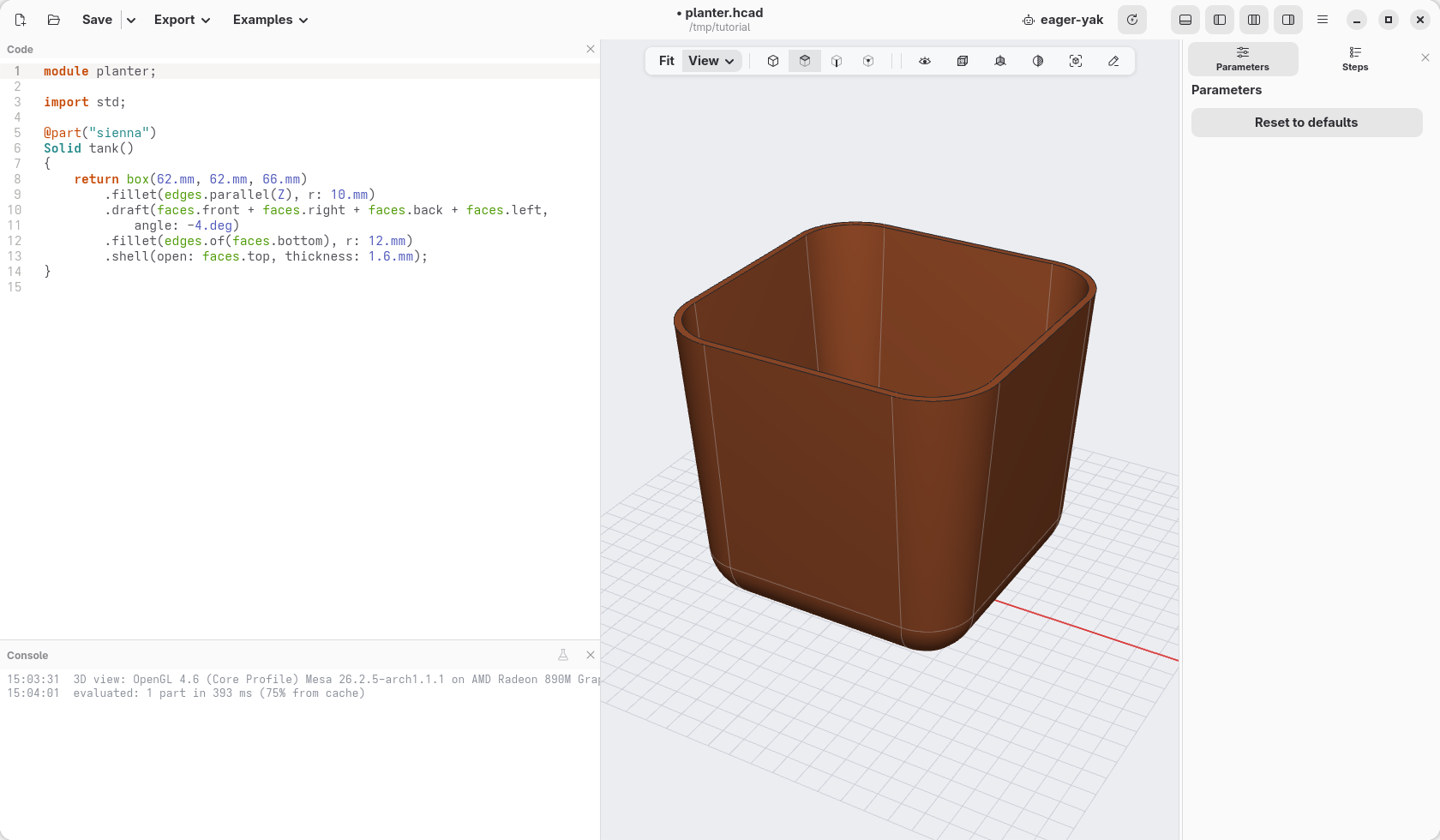
- Right-click it and choose Hollow › Shell, opening this face…. Shell empties a solid, keeping walls of a given thickness, and leaves open the face you chose.
- Type
1.6.mmin place of2.mm: walls 1.6 mm thick, four lines of a common 0.4 mm nozzle.
Look inside
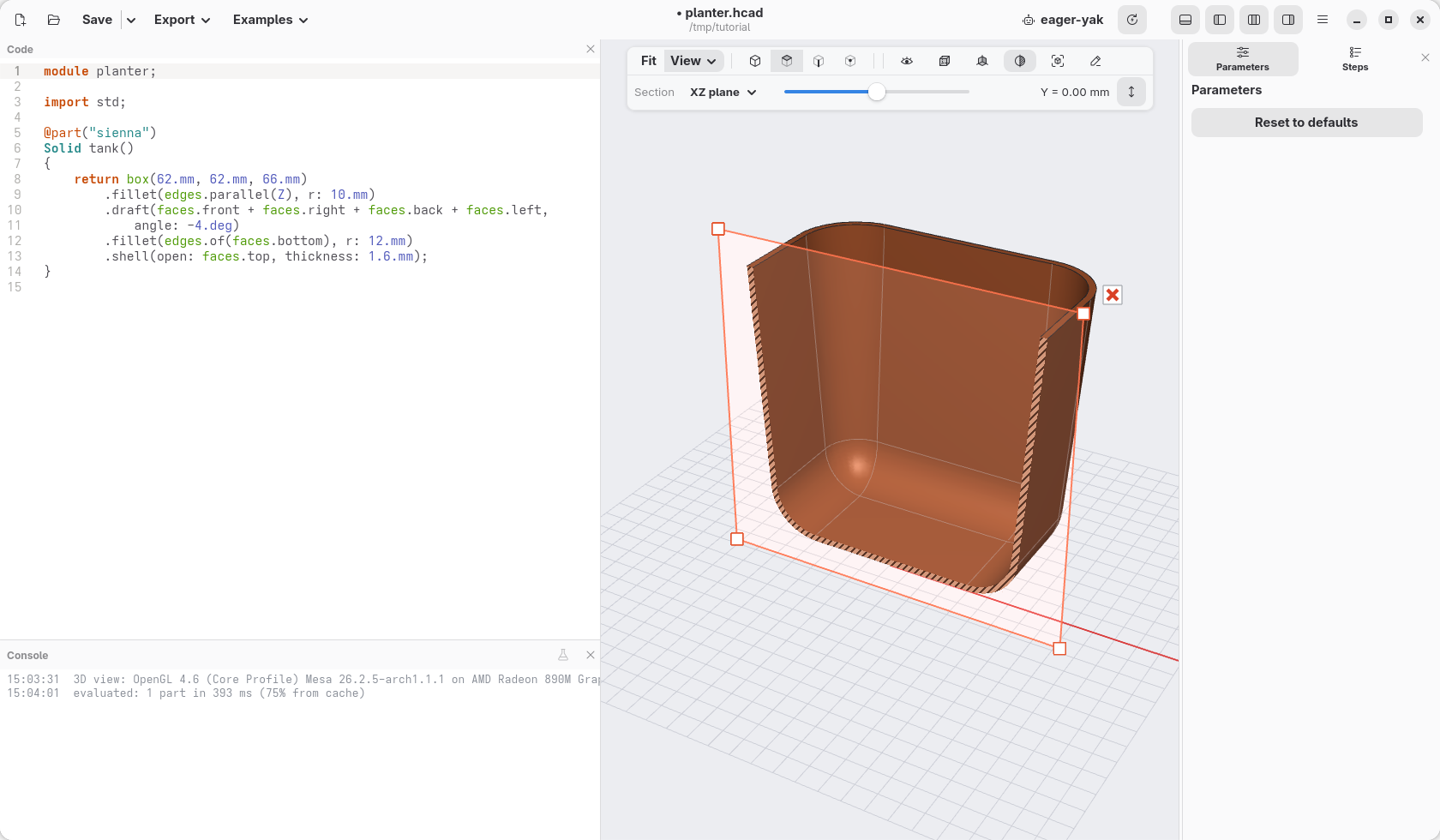
Click the section button in the view bar, between the cube and the magnifying glass. A plane cuts the model in two and hides the half towards you: the cut walls are hatched. The slider in the bar moves the plane, the menu next to it chooses its direction.
To measure the wall, click its inside and outside faces: the note at the bottom right says how far apart they are (right-click and open Measure to copy it).
Click the section button again to close it.
What the mouse wrote
@part("sienna")
Solid tank()
{
    return box(62.mm, 62.mm, 66.mm)
        .fillet(edges.parallel(Z), r: 10.mm)
        .draft(faces.front + faces.right + faces.back + faces.left,
            angle: -4.deg)
        .fillet(edges.of(faces.bottom), r: 12.mm)
        .shell(open: faces.top, thickness: 1.6.mm);
}
One line per step, in the order you made them. The faces are named by where
they look: faces.front, faces.top… and edges.of(faces.bottom) are the
edges around the bottom face. The order matters: rounding comes before the
shell, so the inside follows the round shape too.
Check
The model at the end of this page: planter-04.hcad.