← The window · Contents · Shape the tank →
3. The first block
Every model starts from a simple shape. Ours is a block, and by the end of this page it has the rounded corners of the tank, the part of the planter that holds the water.
A new model
Click the New button, the first at the top left, or press Ctrl+N. A new model appears, a few lines that make Carlo: a start to replace with your own.
Select all its code (Ctrl+A) and type, or paste, these lines in its place:
module planter;

import std;

@part("sienna")
Solid tank() => box(62.mm, 62.mm, 66.mm);
Save it (Ctrl+S) as
planter.hcad, in a folder of your own.
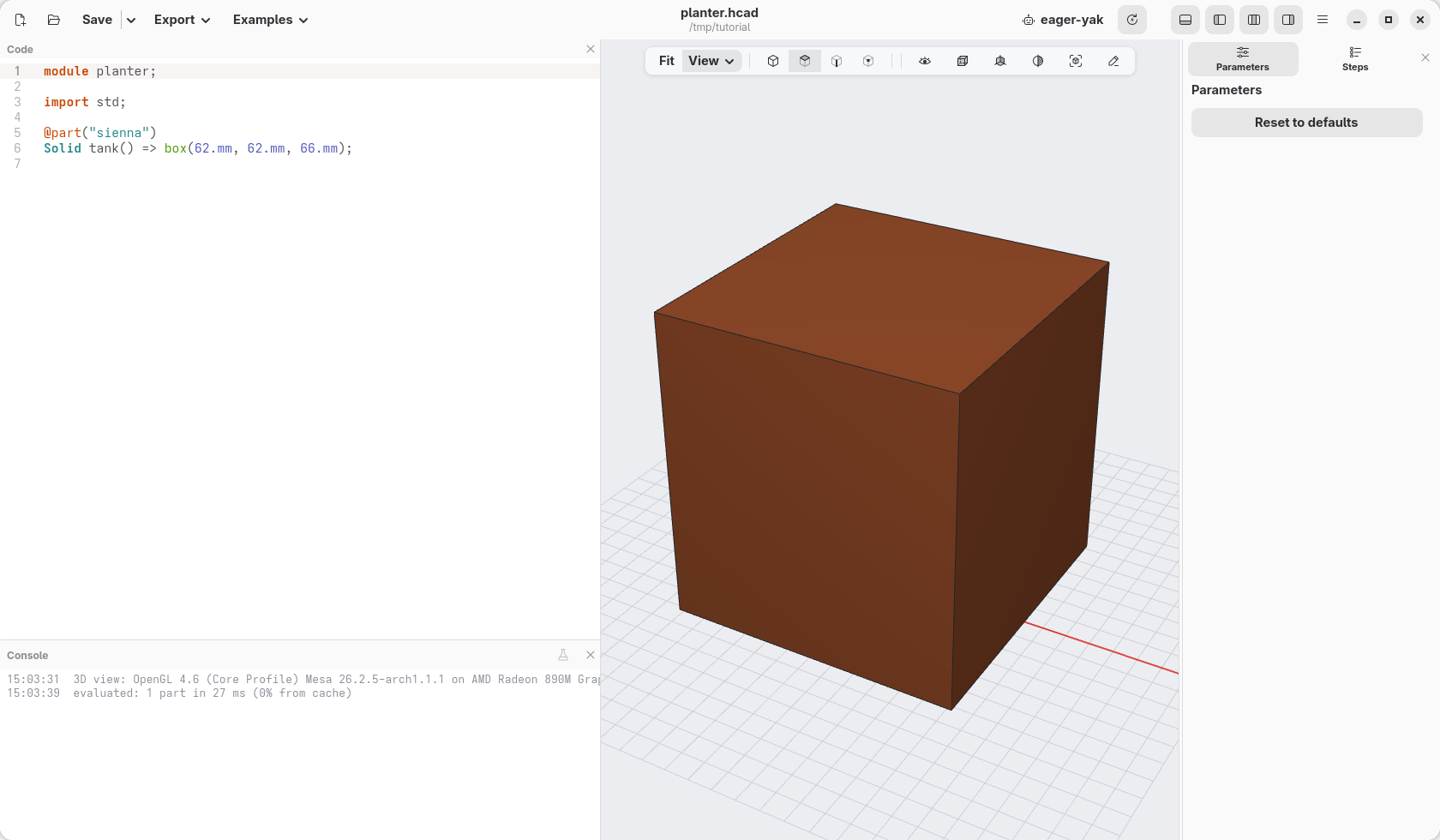
The view shows a block at once. What the lines say:
module planter;is the name of the model.import std;makes hackerscad's ready-made pieces available: screws and their holes, gears, hinges and the other libraries (boxes, cylinders and the basic shapes are always there).@part("sienna")says that what follows is a piece to print, and its colour: sienna is a terracotta brown. Any colour name of the web works ("steelblue","orange"…), hackerscad's own ("Sky Pop","Pink Pop"…, the ones the right-click menu offers), or a code like"#0FC3F2".Solid tank() => box(62.mm, 62.mm, 66.mm);makes that piece: it is calledtankand it is a box 62 mm wide, 62 mm deep and 66 mm tall. Always write the unit,.mm, after a size.
Round the corners with the mouse
The tank should have round corners. You do not need to know how to write that: select the corners and ask.
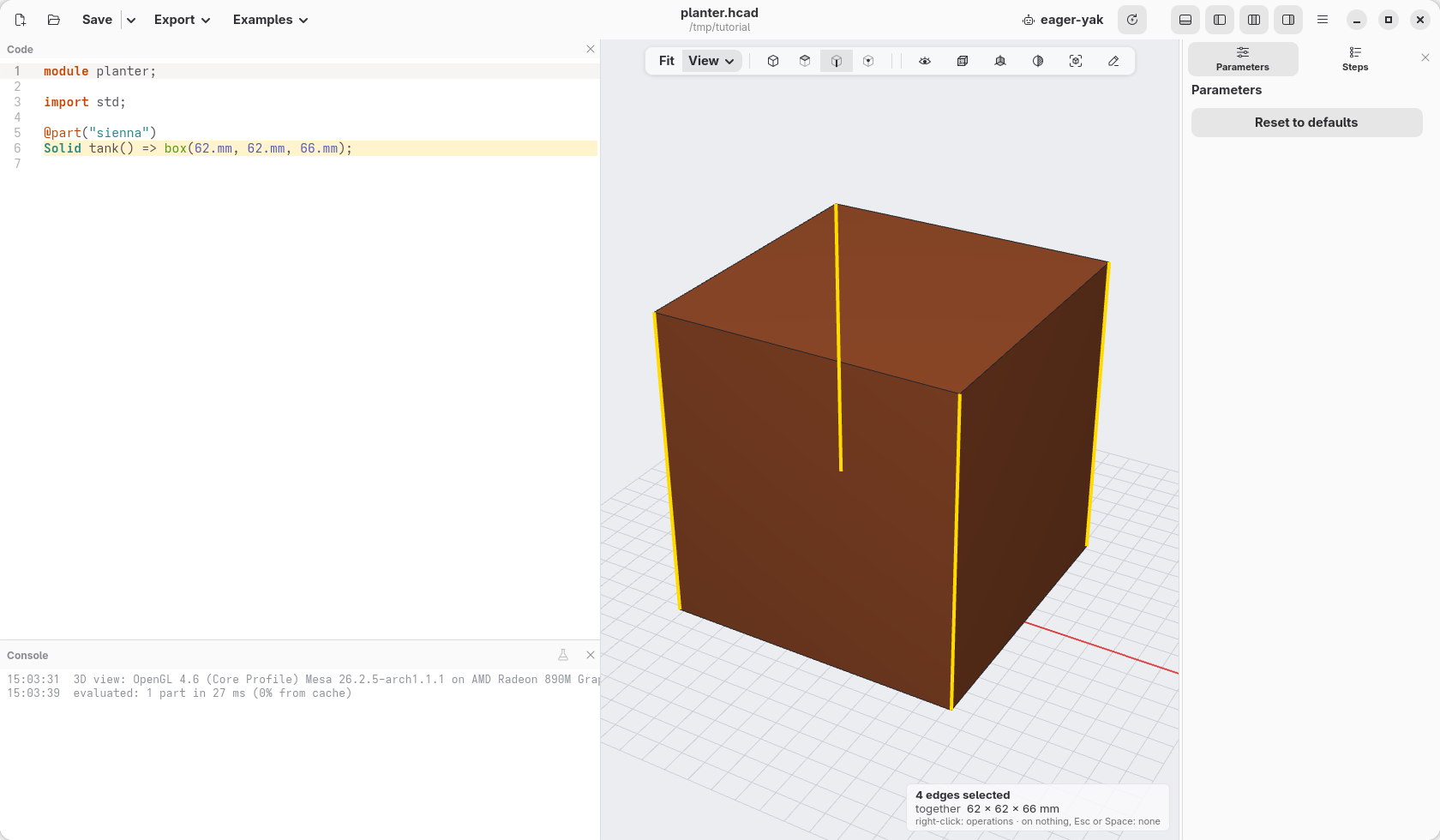
In the view bar, click the button that picks edges, the third of the four (or press Alt+3): a click now picks an edge, not a face. Click one of the upright edges of the block. It turns orange, and the line of code that made it is highlighted in the editor.
Click the other upright edges you can see: each click adds to what is selected (click one again to take it away; a click on nothing, Esc or Space empties the selection).
The fourth edge is at the back. Drag with the right mouse button to turn the view until you see it, click it, then click Iso in the bar over the view to come back. The note at the bottom right counts what you selected: 4 edges selected.
Right-click one of the selected edges. The menu lists what can be done with them.
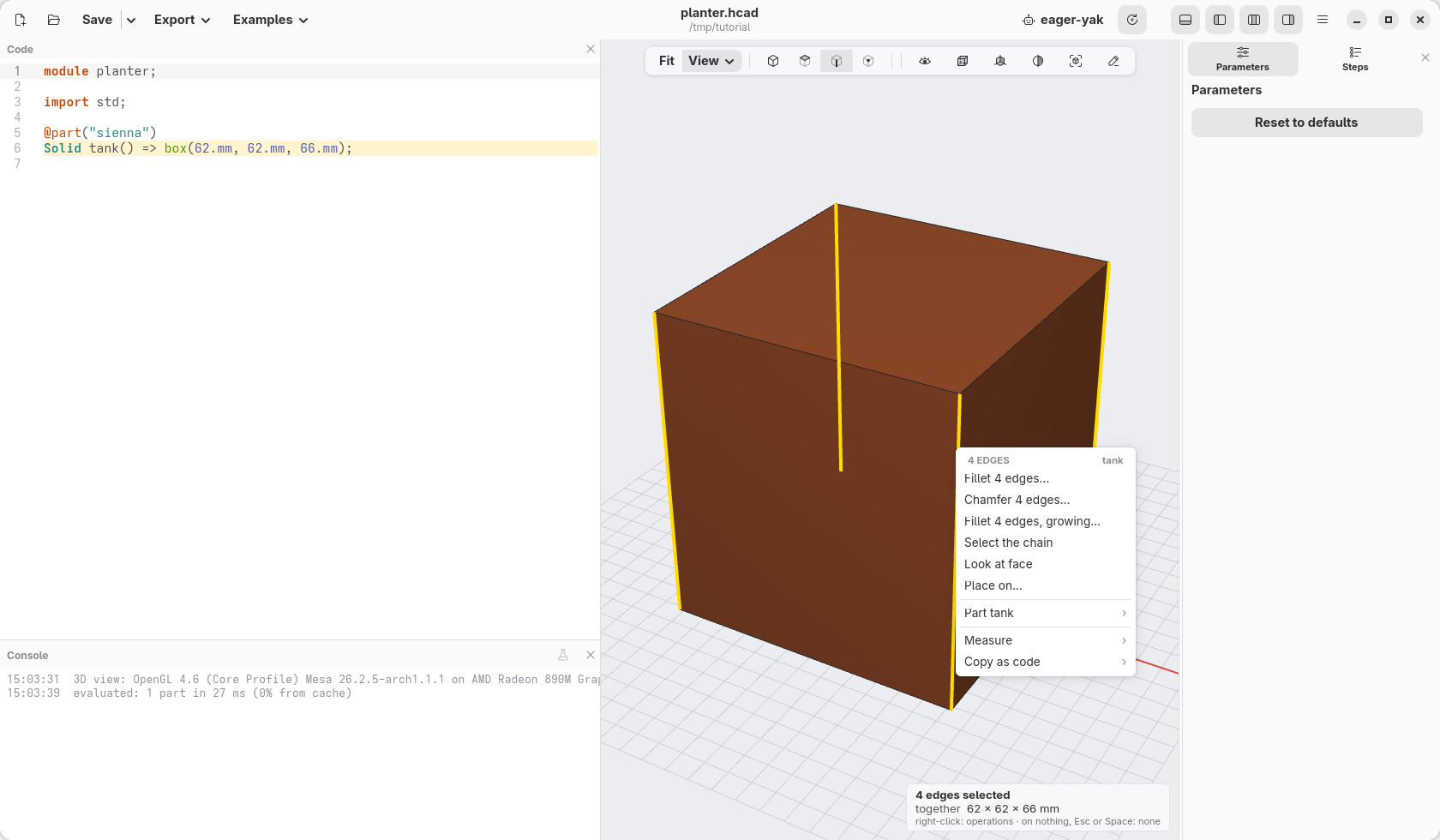
Choose Fillet 4 edges…. A line appears in the code, and the size of the rounding,
1.mm, is already selected for you to change.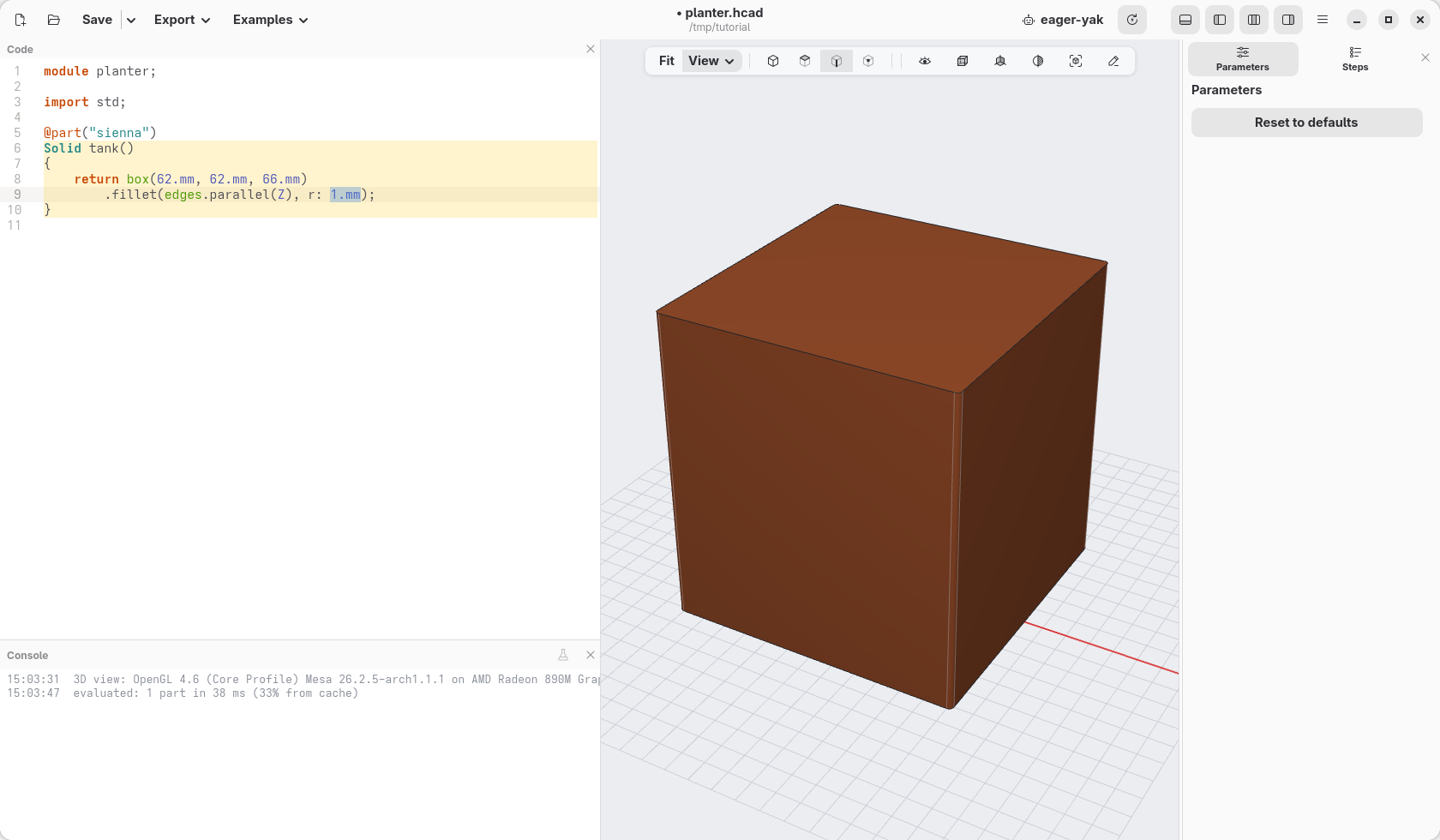
Type
10.mm. The corners round off as you type.
Press Esc to empty the selection. If something went wrong, Ctrl+Z undoes it.
What the mouse wrote
@part("sienna")
Solid tank()
{
    return box(62.mm, 62.mm, 66.mm)
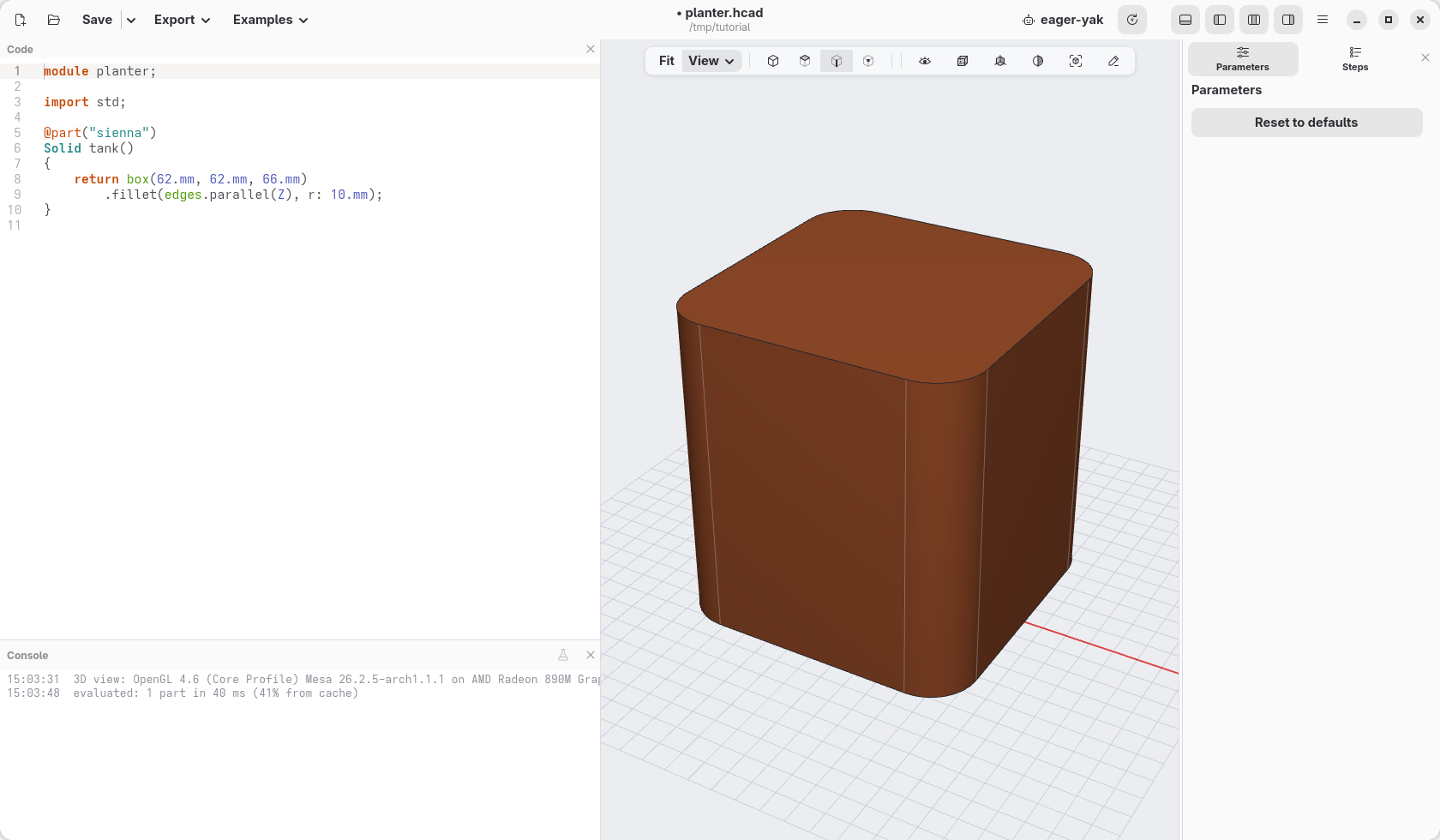
        .fillet(edges.parallel(Z), r: 10.mm);
}
A part made in several steps reads better as a list, one step per line: hackerscad rewrote the one line you typed that way. The part now returns a box, then rounds it:
.fillet(…)rounds edges ("fillet" is the name of a rounded edge);edges.parallel(Z)says which ones: the edges that run along Z, the vertical axis, that is the four upright ones;r: 10.mmis the radius of the rounding.
The edges are named by what they are, not by where you clicked: if you change the size of the box later, the same edges are rounded.
Check
Your window should look like this. If it does not, open planter-03.hcad, the model as it is at the end of this page, and go on from there.